brandon@homelab:~$ ./talk.sh
# /decks/ato26/index.html

The Self-Hosted
Stack.

Building your own cloud
with open source.
// speaker
Brandon Hopkins
Head of Content & DevRel · NetBird
@TechHut
$ whoami

Brandon Hopkins

  • Founder of TechHut.
    Linux, self-hosting, and open source on YouTube.
  • Head of Content & Developer Relations at NetBird.
  • I've run these services at home for years.
    I use them every day.
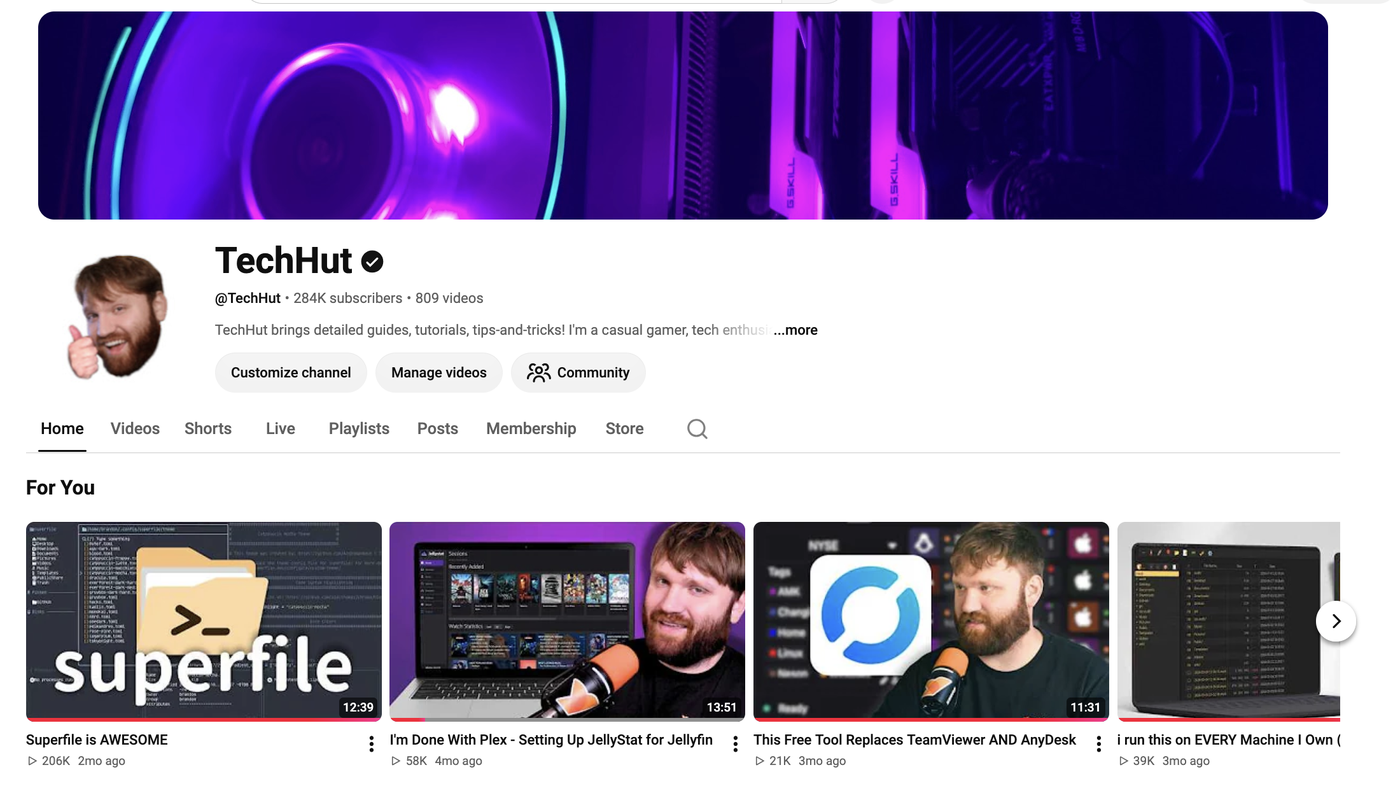
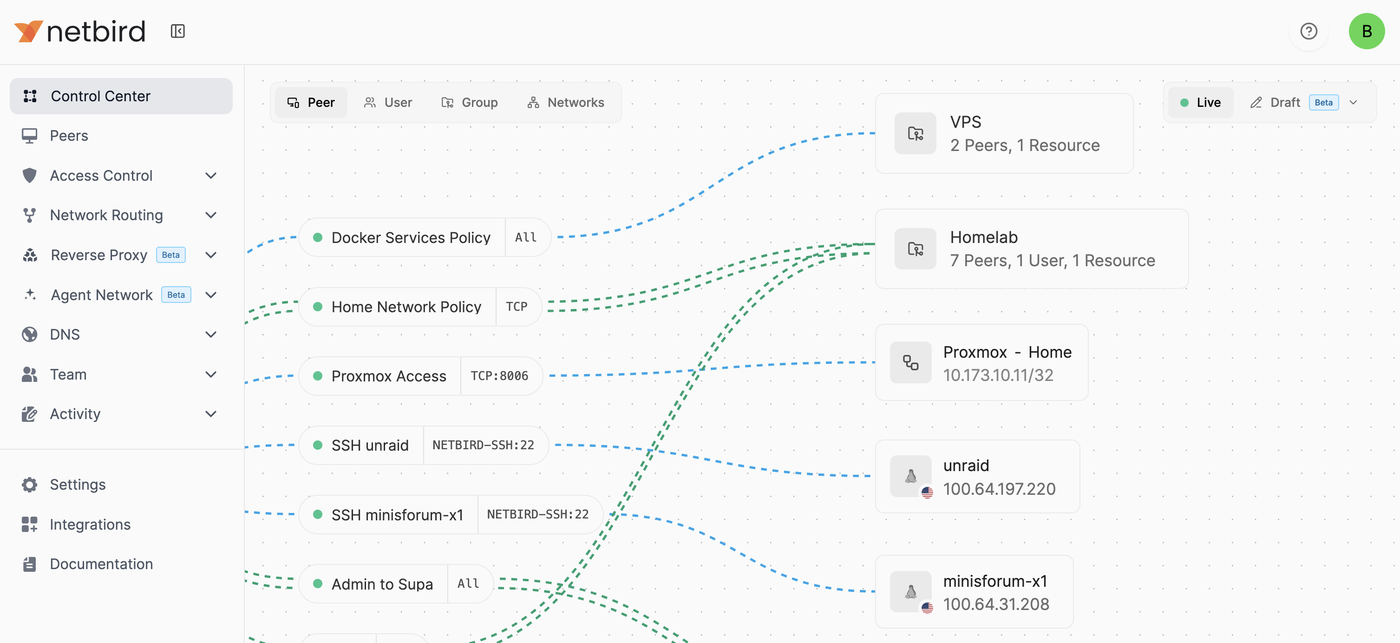
The TechHut YouTube channel page, showing subscriber count and recent videos NetBird Control Center showing Brandon's homelab peers, resources, and access policies
./readme.md

What is this talk?

  • The open source apps I use every day.
  • How I handle remote access, backups, and monitoring.
  • The hardware and maintenance involved in running it yourself.
./definitions

What we mean by a self-hosted cloud.

The same services you already lean on. Files, photos, media, passwords. You manage the server. For this stack, most of it runs on hardware at home.
// your hardware
Runs at home.
A mini PC, a NAS, an old desktop. Your data lives on disks you can physically touch.
// open source
Open source apps.
Nextcloud, Immich, and Jellyfin. You control the installation and when it changes.
// still a cloud
Reachable anywhere.
Your phone, your laptop, a coffee shop. Securely, without forwarding ports on your router.
02
// section 02 of 9
Why self-host?
the pitch, part one

Who controls
your access?

  • Cloud services store your files, photos, and documents on their infrastructure.
  • TOS change. Accounts get banned. Companies shut down.
  • Self-hosting gives you control over the server, its data, and its backups.
// example notices
! "Your account has been suspended for violating our community guidelines."
! "We're sunsetting this product on Dec 31."
! "Our updated Terms of Service take effect..."
why people switch

The subscription treadmill

Files, photos, media. Every service becomes another monthly bill.

The useful question is which services you'd actually want to run yourself.

The costs move

Hardware and storage up front.

Power, backups, and your time after that.

What you save depends on what you replace.

what ownership involves

Living with the stack

  • Maintenance becomes a habit.
    Read update notes, check backups, and practice a restore.
  • Your household depends on it.
    When something breaks, you're the person fixing it.
  • Some cloud services can stay.
    Choose what fits your time and the people using it.
03
// section 03 of 9
Before you start.
The services you want to use, then the hardware to run them.
before buying hardware

Your first one or two services

What would you actually use every day?

  • Photos, files, or your media library. Pick the job first.
  • Use those services daily. Learn how to update them and restore your data.
  • Add more once you're comfortable maintaining what you have.

Configs and examples: github.com/TechHutTV/homelab

match the machine to the job

Hardware to get started

You might already own your first server.

  • A mini PCA compact place to start.
  • A used business PCCheck the upgrade options.
  • Your old desktopPut the hardware you have to work.
Memory
Enough for your apps, with room to expand
Storage
Drive connections and space for more disks
Power
Check idle power draw
a foundation for your services

Choosing the platform

PlatformMain jobExample
NAS operating systemManage storage and file sharesTrueNAS
Linux with DockerRun containers on a Linux serverUbuntu Server
HypervisorManage VMs and system containersProxmox VE

I use Proxmox for the flexibility to run different systems on one machine.

Proxmox VE

Why I use Proxmox

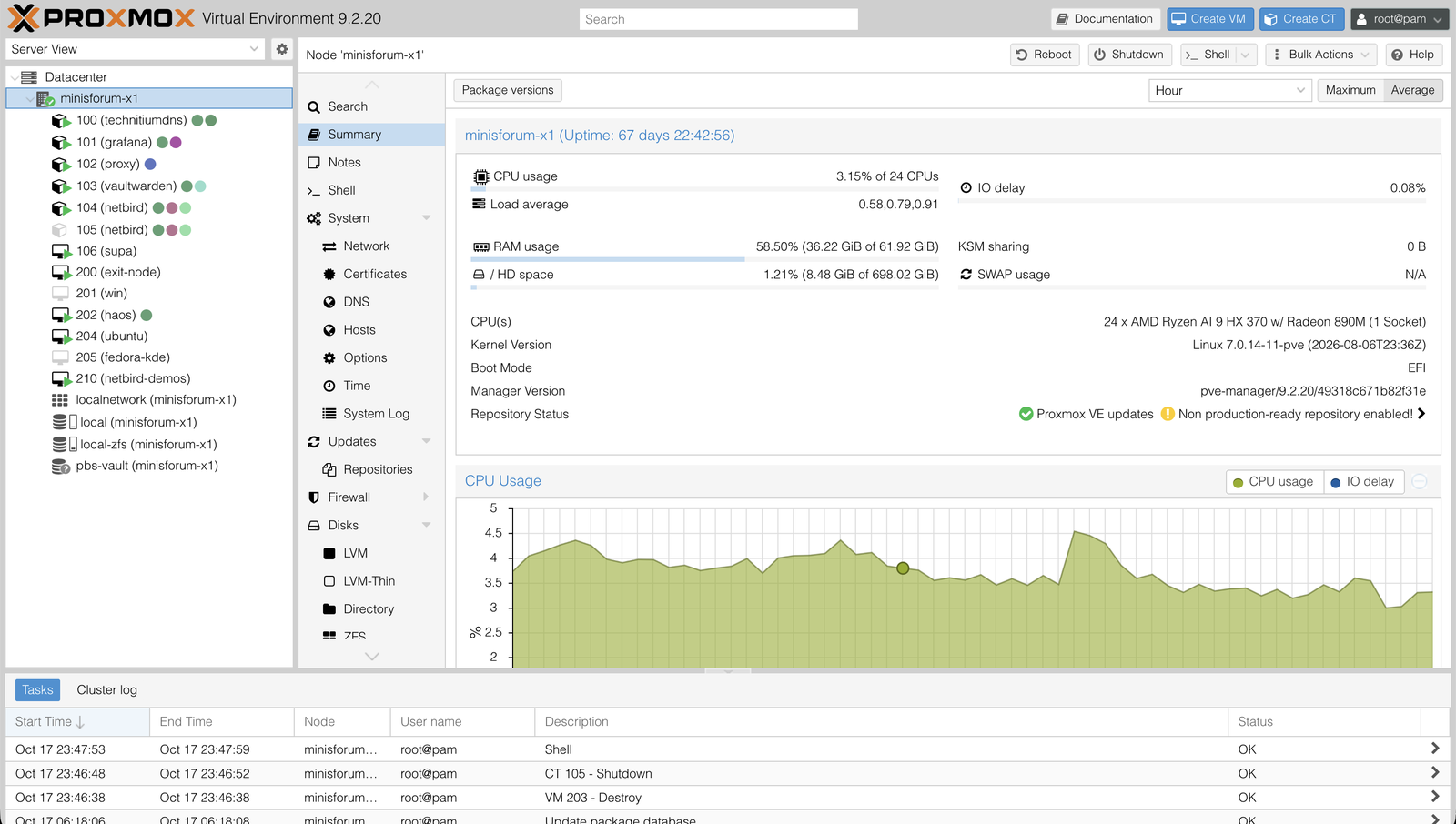
  • Virtual machines and Linux containers, managed in one web interface.
  • Keep services in separate environments on the same machine.
  • Back up those environments from the same place.
Proxmox VE node summary showing the list of VMs and LXC containers alongside CPU, RAM, and uptime stats

Community setup scripts: community-scripts.github.io/ProxmoxVE

05
// section 05 of 9
The stack.
The actual services. What they do, what they replace.
Nextcloud   files and tasks

My files and tasks,
in one place

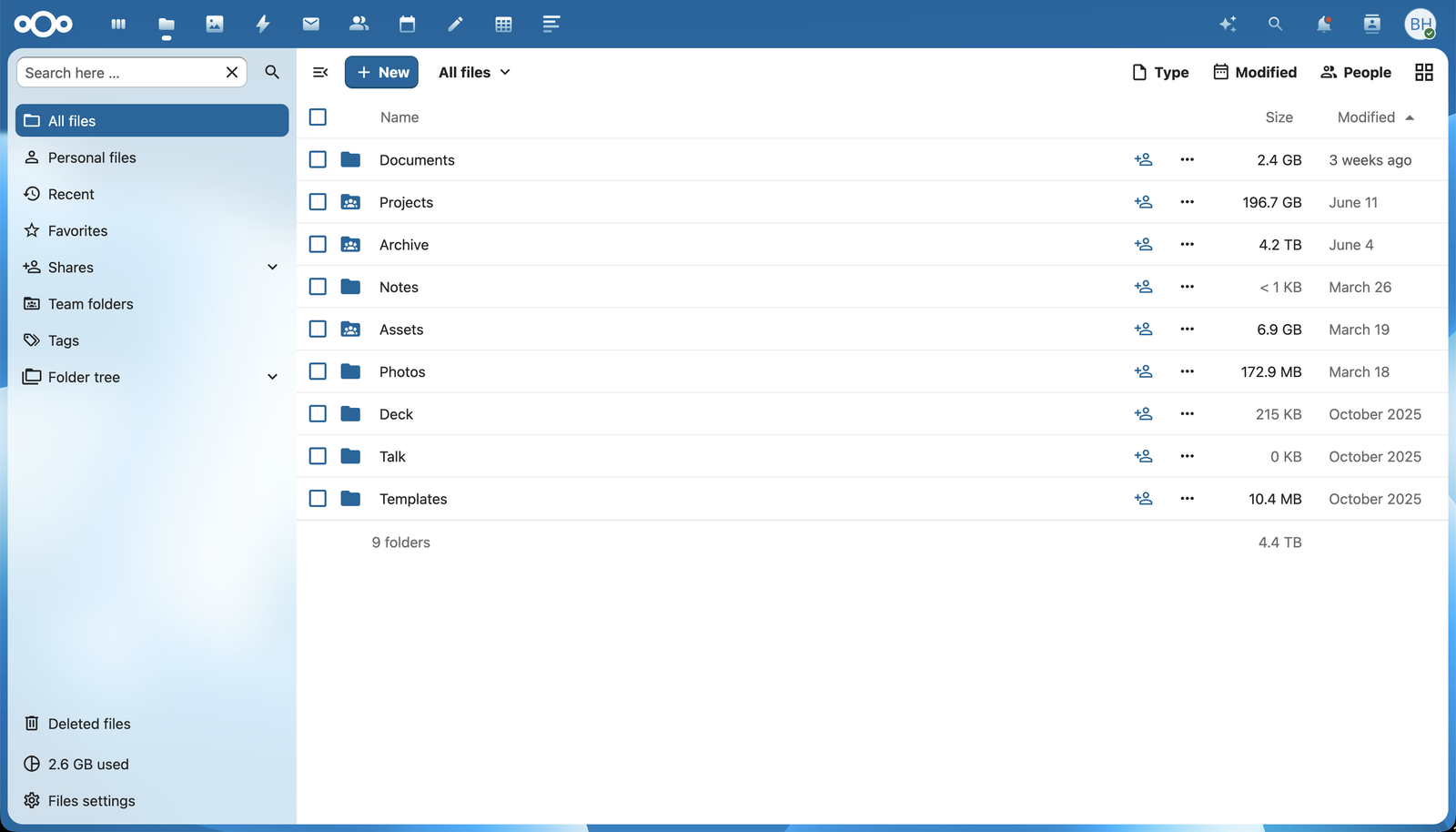
  • I use Nextcloud for general file storage and organizing tasks.
  • Files are available in the browser and through desktop or mobile clients.
  • Nextcloud AIO packages the services together. I run it in a Proxmox VM.
  • I still manage updates, storage, and backups.
Nextcloud Files UI showing the top-level folder list with sizes and modified dates
Immich   replaces Google Photos

My photo library
at home

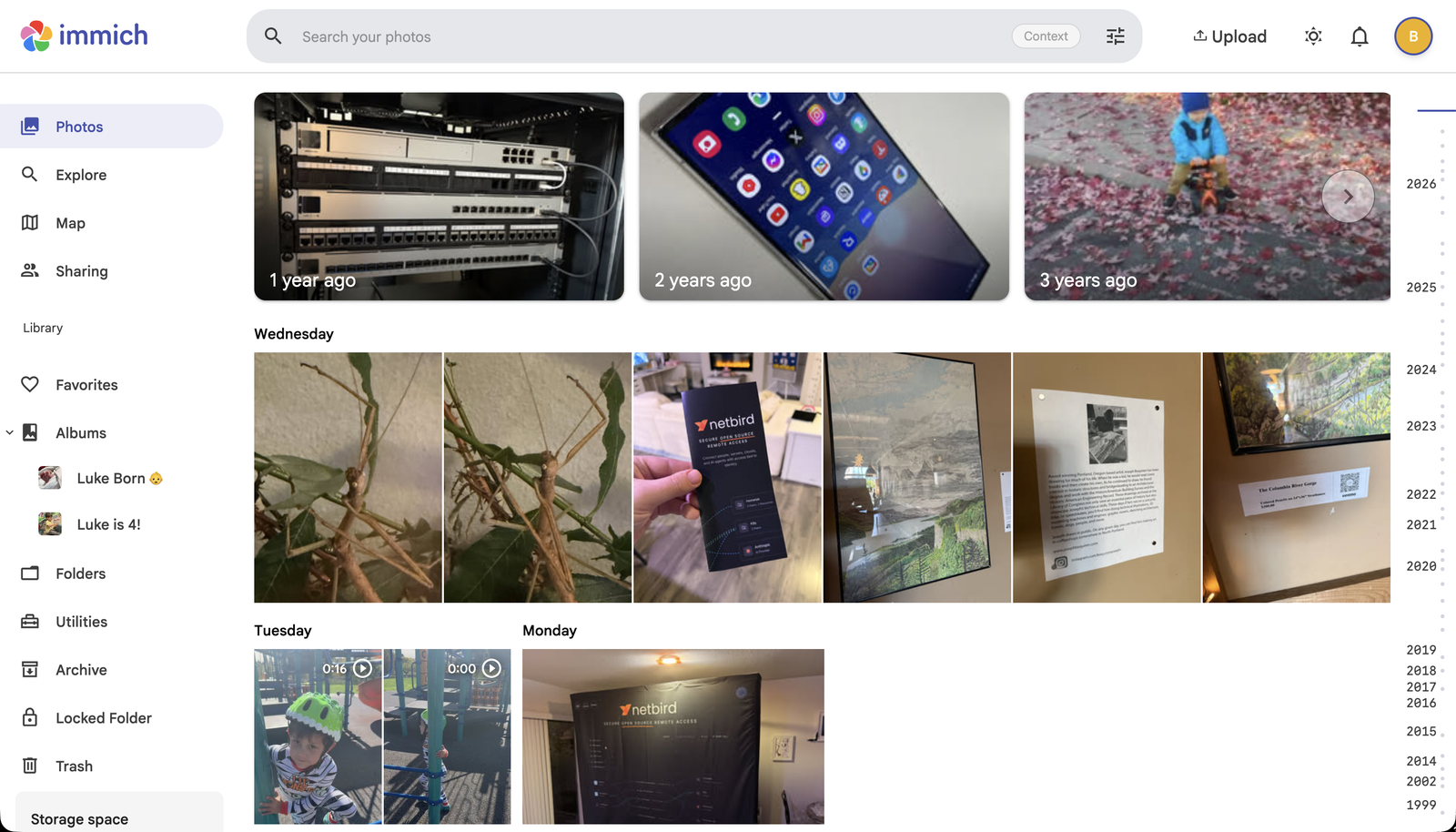
  • My phone uploads photos and videos to Immich.
  • I can find them again by person, place, or search.
  • The server needs its own backup, including the photos and database.
  • First stable release: October 1, 2025.
Immich timeline showing recent photos grouped by day, with memories at the top
Jellyfin   your own streaming service

My media library,
ready to watch

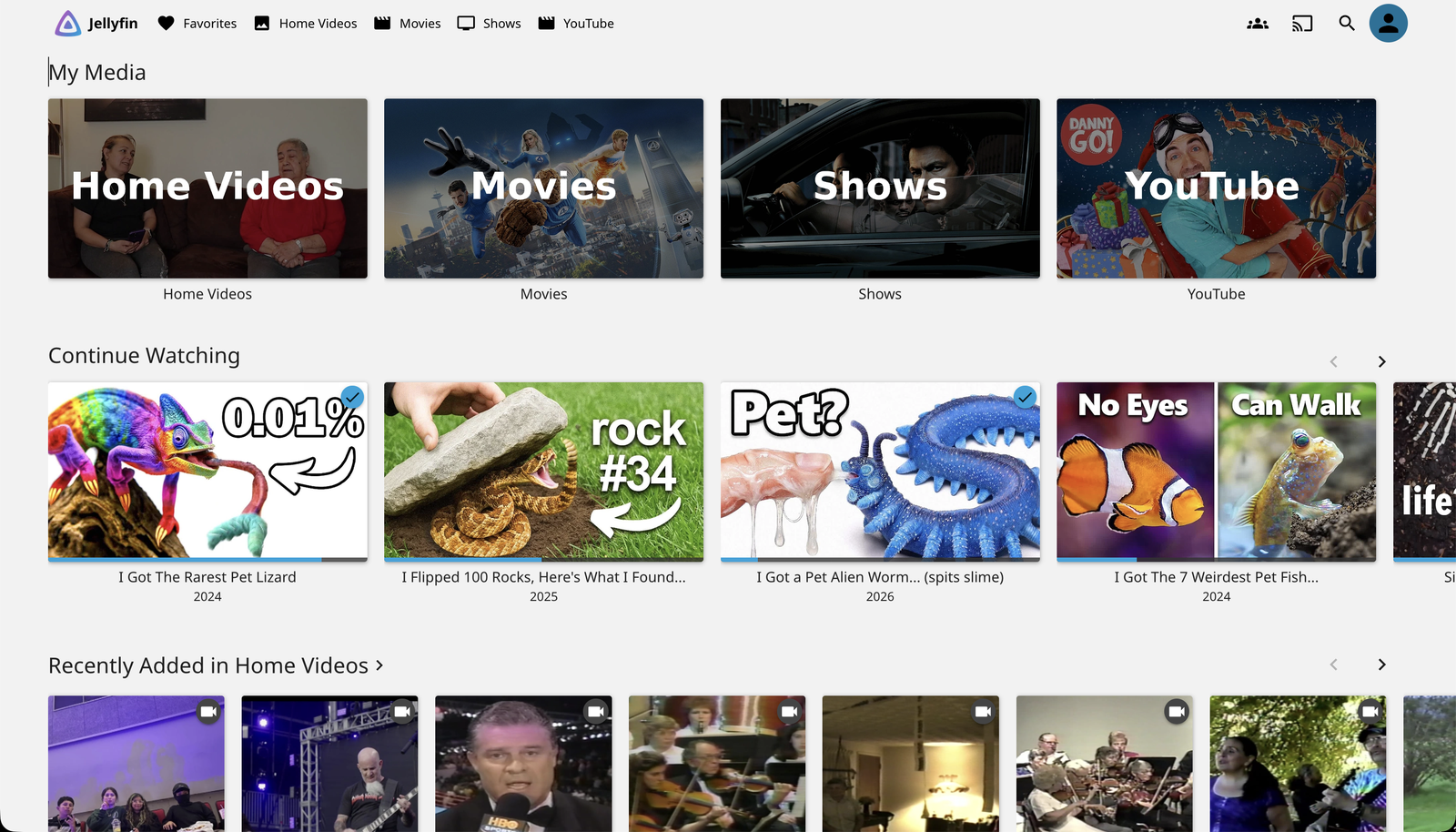
  • Browse my movies and shows, then pick up from Continue Watching.
  • Jellyfin organizes and streams the media I supply.
  • Free and open source, including hardware transcoding.
  • Playback depends on the client. Some files need the server to convert them.
Jellyfin home screen showing My Media libraries and Continue Watching
Vaultwarden   replaces 1Password / LastPass

Your passwords, self-hosted

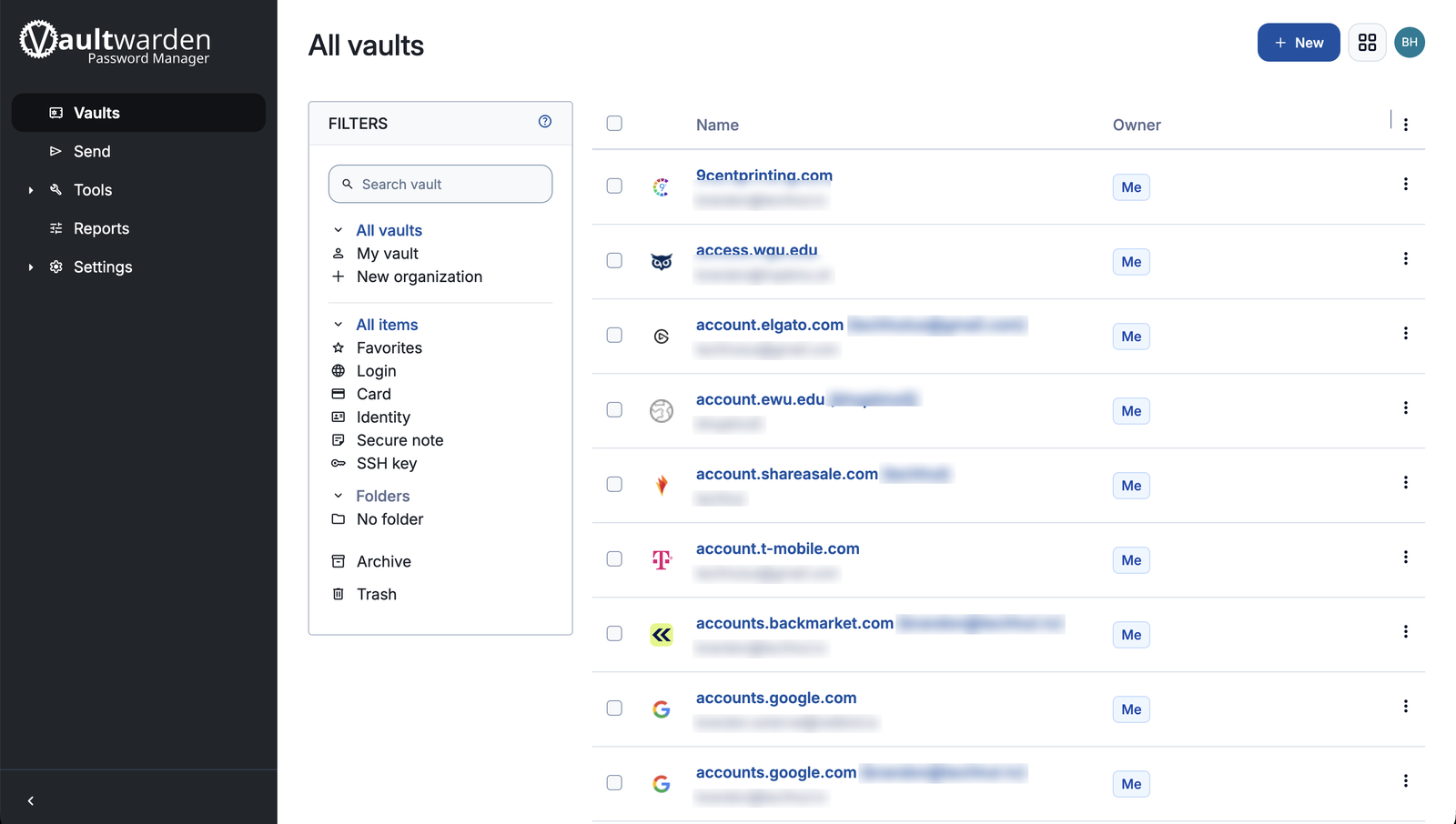
  • Vaultwarden is an unofficial server that works with Bitwarden's apps.
  • Your devices sync their encrypted vault through your server.
  • You handle the server's updates and backups.
Vaultwarden All vaults view listing saved logins, with usernames and email addresses blurred
Home Assistant   your smart home hub

A home that works
locally

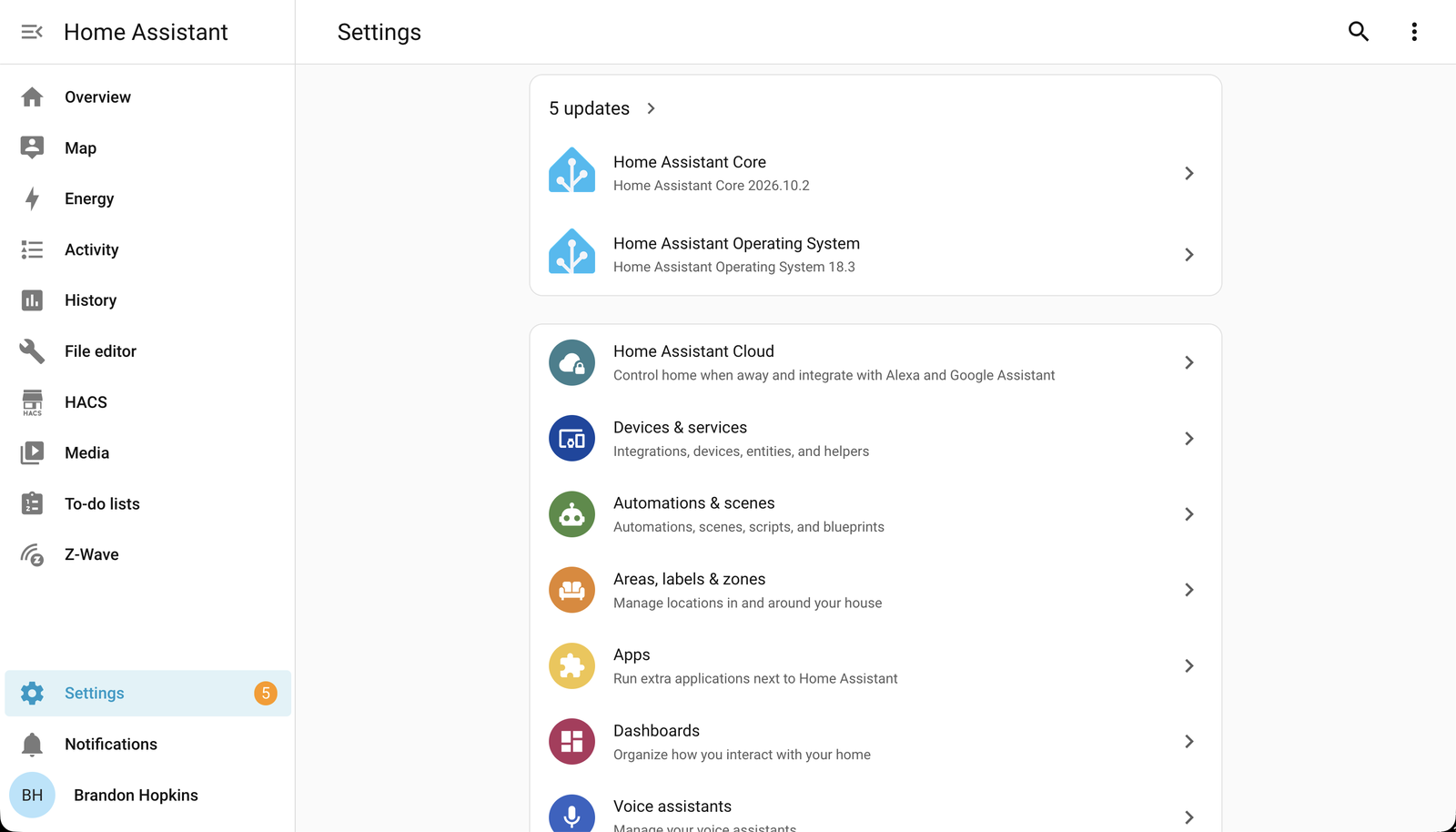
  • Local control of lights, sensors, automations, dashboards.
  • Local devices and integrations can keep working without the cloud.
  • Works with thousands of devices and integrations.
  • Some integrations still depend on a vendor cloud. Check before buying devices.
Home Assistant Settings page listing devices & services, automations & scenes, areas, apps, and dashboards
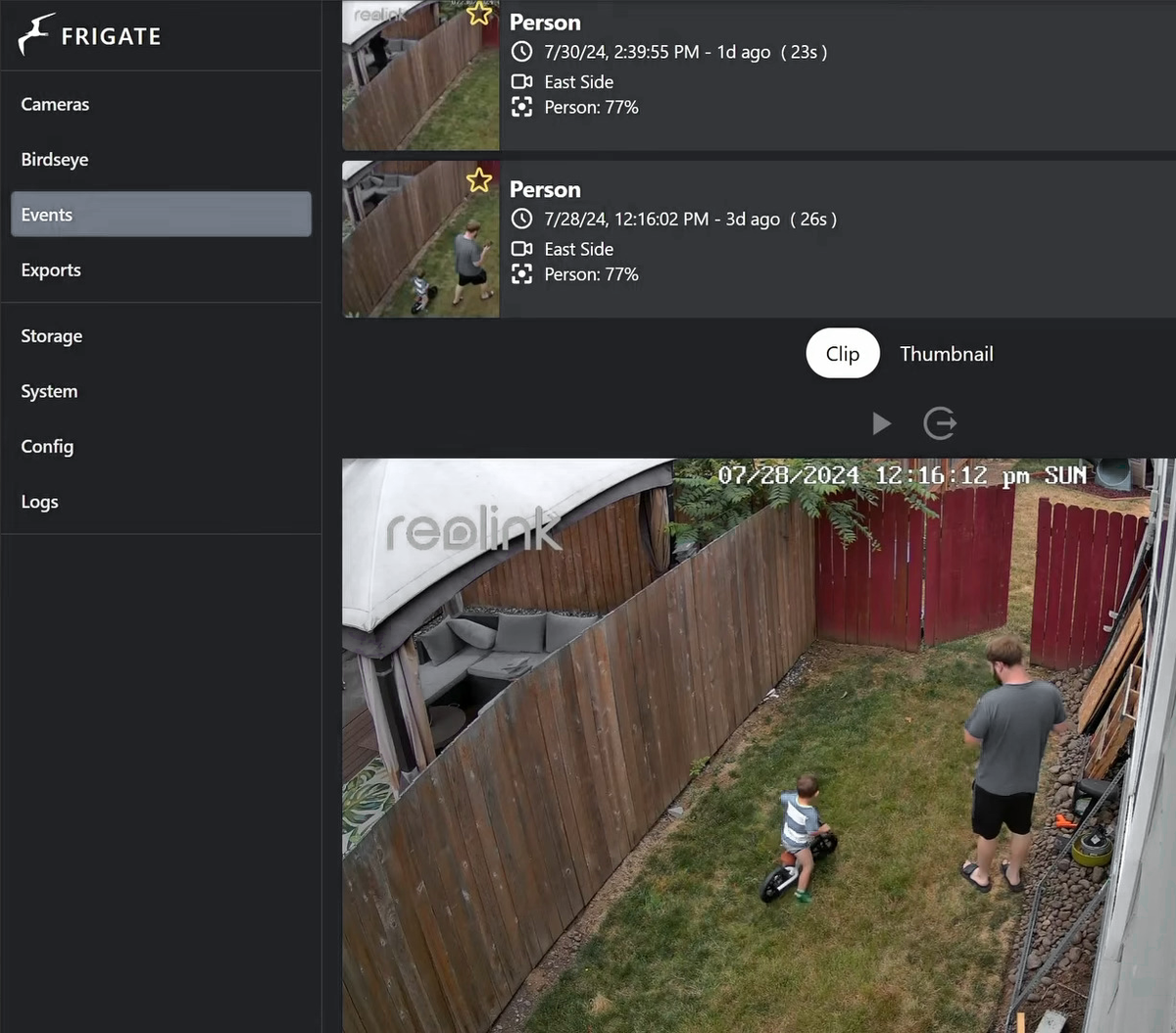
Frigate event log showing person detections in the backyard
Frigate

Camera recordings
kept at home

  • Local recording and object detection for compatible cameras.
  • Choose a detector for your hardware: Intel OpenVINO, a GPU, or Coral.
  • Detection events can trigger Home Assistant automations.
NGINX Proxy Manager   clean local access

Local names
and HTTPS

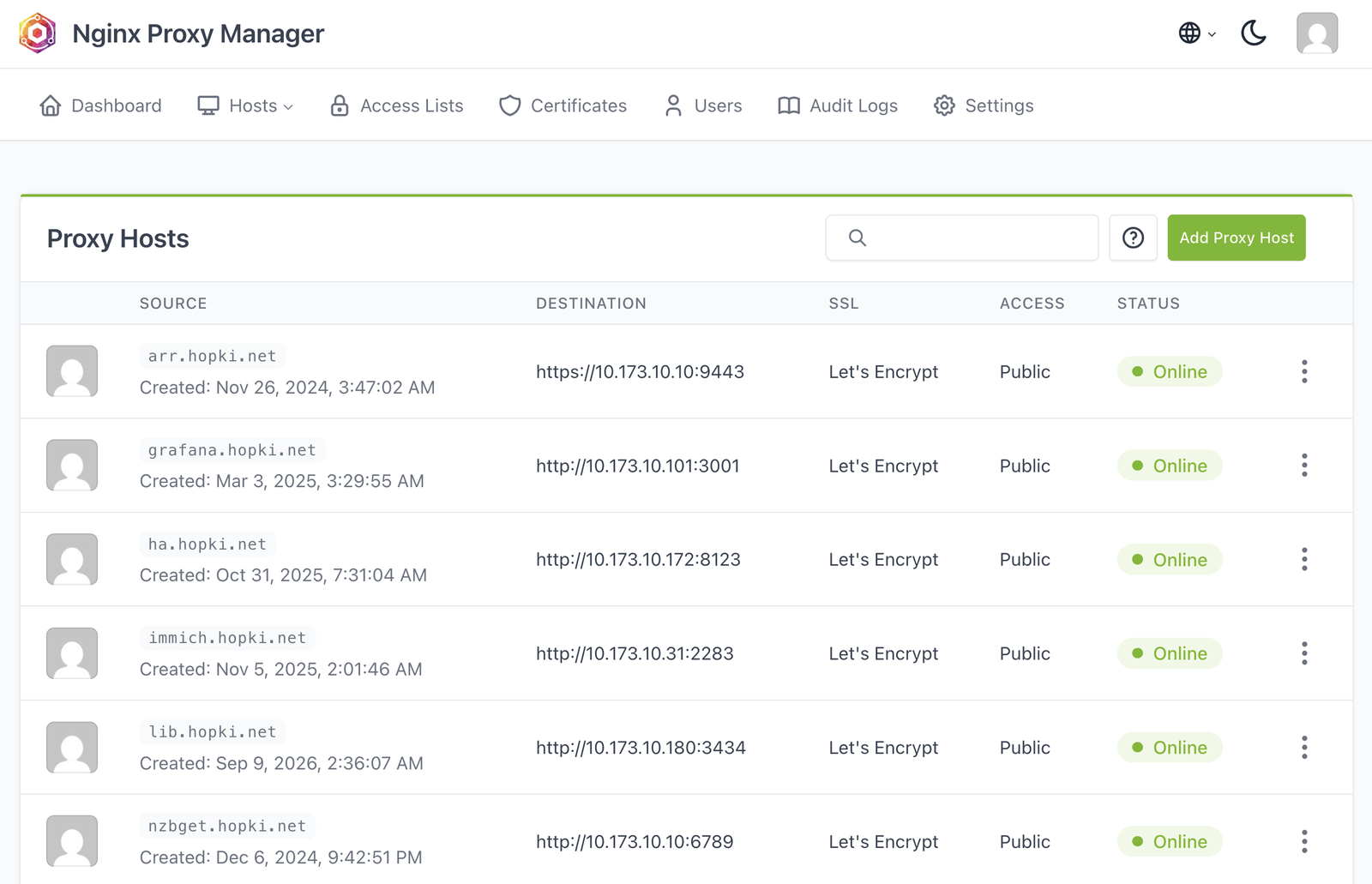
  • Clean local domain names and HTTPS for internal services.
  • Local DNS points at NPM. It forwards each name to the right service.
  • In my setup, NPM serves the home network. It is not forwarded through my router.
  • NetBird handles remote access separately.
NGINX Proxy Manager Proxy Hosts list with Let's Encrypt certs and Online status
honorable mentions

Other apps worth a look

AdGuard Home
Blocks many ads and trackers through DNS. It cannot block every ad, including YouTube ads.
Uptime Kuma
Service uptime checks and notifications.
Paperless-ngx
Document management and OCR.
Mealie
Recipe manager and meal planner.
06
// section 06 of 9
Connecting it securely.
Remote access without forwarding ports on your home router.
the same services, away from home

Your stack
from anywhere

  • Your Nextcloud files from a laptop on the road.
  • Your Immich photos and Jellyfin library from your phone.

Those devices need a secure way back to your home network.

NetBird logoNetBird
Tailscale logoTailscale
Twingate logoTwingate
WireGuard logoWireGuard
OpenVPN logoOpenVPN
ZeroTier logoZeroTier
Headscale logoHeadscale
NetBird

A private connection
back home

  • Add your laptop or phone and a device at home.
  • A routing peer at home can reach services that have no NetBird client.
  • Policies limit access. Private DNS makes service names work away from home.
Private access to services at home A laptop and phone running NetBird connect to a routing peer at home over WireGuard. The routing peer reaches services on the home network that do not have a NetBird client. Away from home At home My laptop NetBird client My phone NetBird client WireGuard My home peer Routing peer Home network Home services No NetBird client

My laptop and phone connect over WireGuard to my home routing peer, which provides access to services without a NetBird client.

WireGuard connects directly when possible, with an encrypted relay fallback.
private remote access

Direct when possible.
Encrypted either way.

Private NetBird connections, direct or relayed A laptop and a home peer contact coordination services on a VPS. Their WireGuard tunnel connects directly when possible. If that fails, the VPS relay forwards the encrypted packets. The relay cannot decrypt them. No router port forwarding is needed at home. VPS coordination Management · Signal · STUN Setup & discovery Setup & discovery My laptop NetBird client My home peer Access to my services Direct WireGuard connection VPS relay fallback Cannot decrypt the traffic If a direct connection fails

Setup: My laptop and home peer contact Management, Signal, and STUN on the VPS.

Direct: WireGuard connects the two peers when the networks allow it.

Fallback: The VPS relay forwards encrypted packets when a direct connection fails. It cannot decrypt them.

No router port forwarding at home. The private keys stay on the peers.
self-hosting

Self-hosting
NetBird

// getting-started.sh
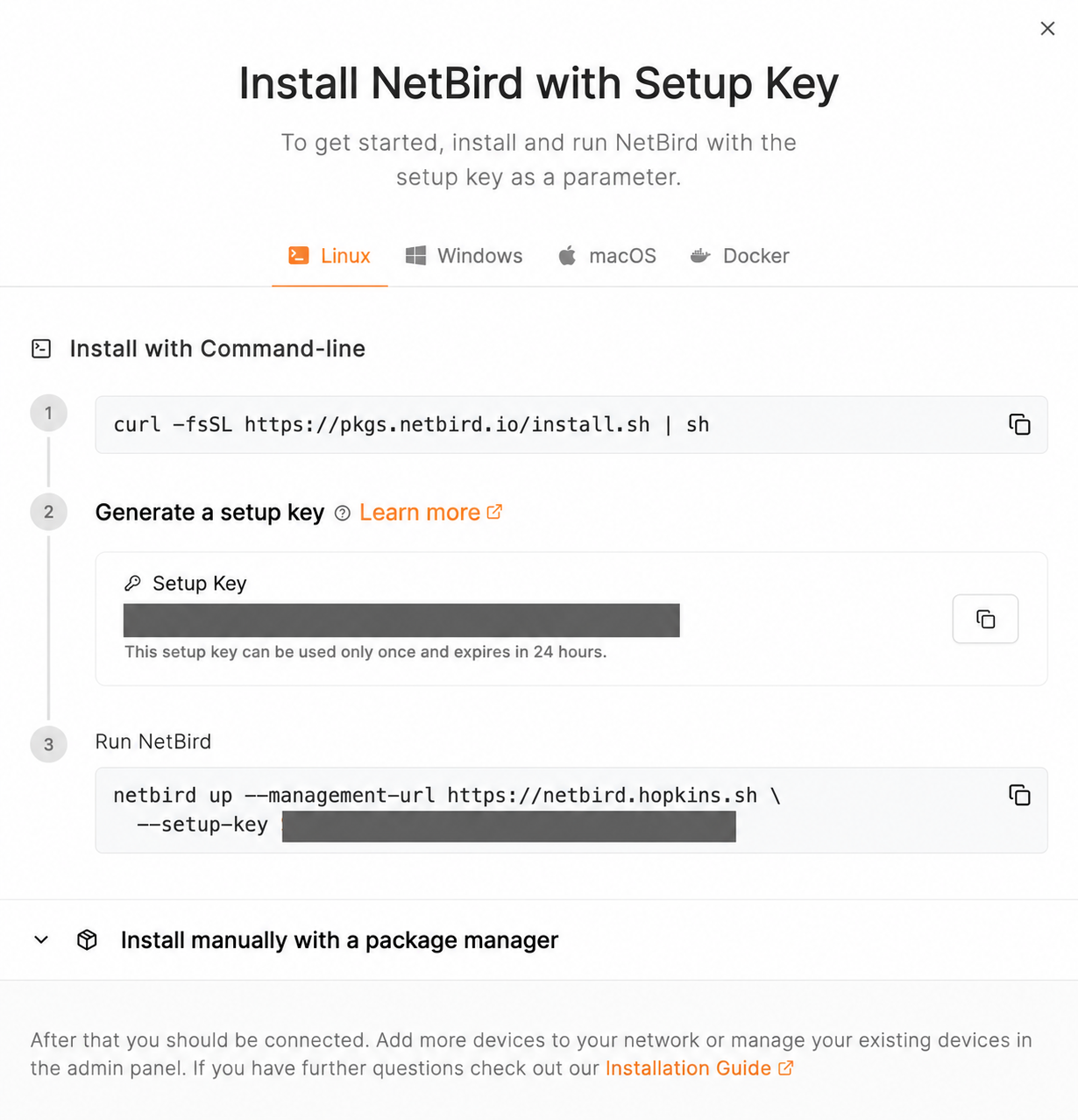
curl -fsSL https://github.com/netbirdio/netbird/releases/latest/download/getting-started.sh | bash
  • Deploys management, signal, relay, dashboard, and Traefik.
  • Use a public domain and a reachable Linux server. Traefik manages HTTPS.
  • Local users out of the box, or bring any OIDC: Keycloak, Authentik, Okta, Google.
  • Install the NetBird client separately on each device you want to connect.
NetBird setup-key installation panel showing Linux client commands, with the setup key redacted
the dashboard

Which devices can
reach my services?

NetBird Control Center showing animated policy connections to homelab peers, groups, and network resources
  • Peers · every device in the mesh, status at a glance.
  • Groups & policies · control which devices can reach each service.
  • Networks & routes · reach devices on your home network through a routing peer.
  • Audit events · device, account, and policy changes.
reverse proxy

Sharing a service without a client

  • For a service someone needs to open in a regular browser.
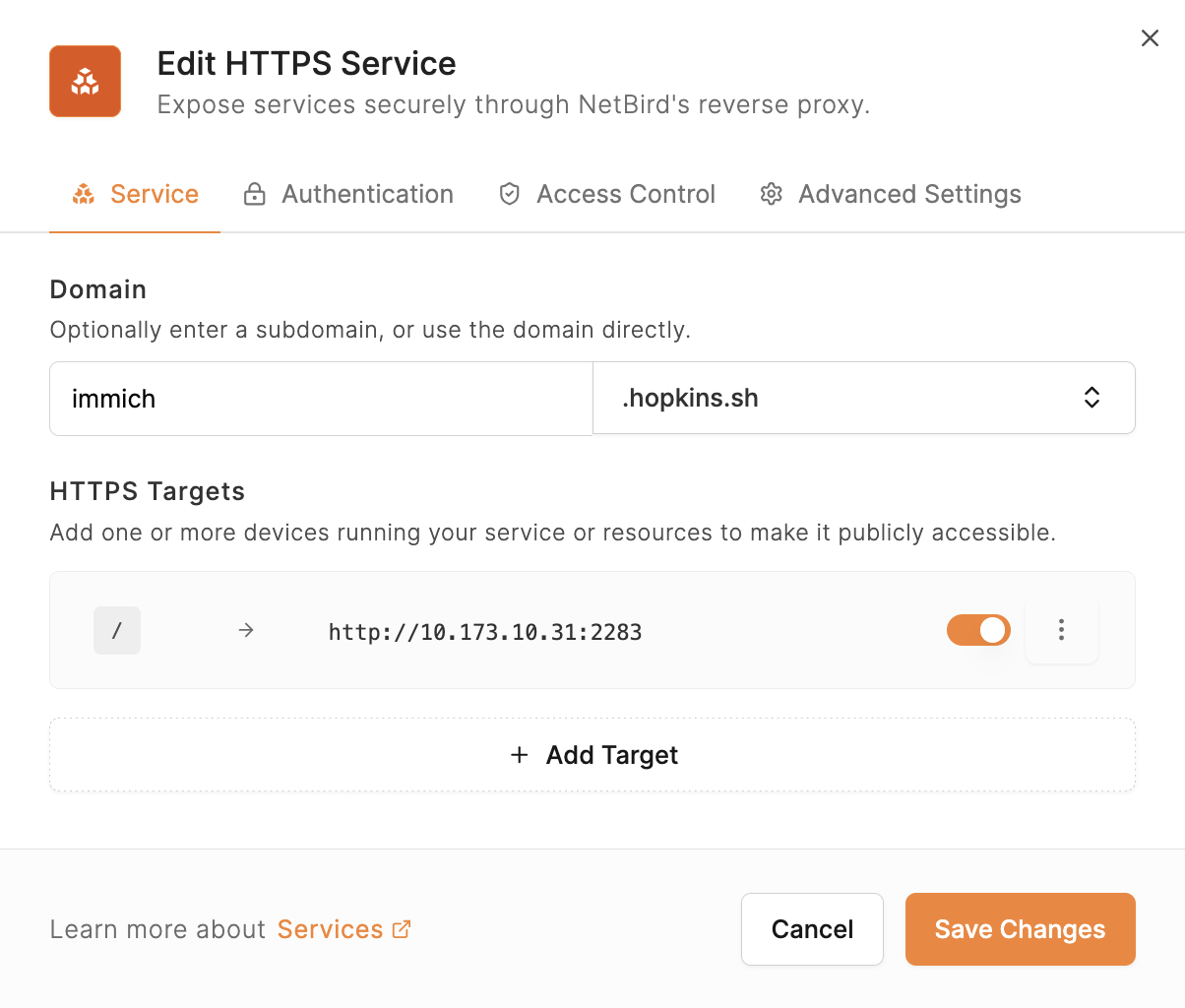
  • The public hostname reaches a proxy on the VPS, which connects to the home service over NetBird.
  • Configure access protection for the service you publish.
  • This is public sharing. My private services remain on the client connection.
NetBird HTTPS service editor publishing immich.hopkins.sh to an Immich server on the home network
07
// section 07 of 9
Backing up my services
What I keep locally and copy offsite.
what matters to me

What I actually
back up

  • Photos and documents.
    The personal stuff I can't replace.
  • App data and configurations.
    The settings and app data I'd need to recover.
  • VMs and containers.
    A way to bring the services back.

My movie and TV library doesn't need the same protection.

the rule

The 3-2-1 rule

3
// COPIES
Three copies of your data.
Your working data plus two separate backups.
live · backup · backup
2
// MEDIA TYPES
On two different media.
Use different storage media to reduce shared failure risks.
SSD + hard drive, or disk + tape
1
// OFFSITE
One copy offsite.
Fire, theft, flood. If the building is gone, the backup in it is gone too.
friend's house · object storage · vps
local recovery + an offsite copy

My backup setup

  1. My home servers

    Proxmox VMs and containers, plus selected files from my NAS.

  2. Proxmox Backup Server (PBS)

    A separate box at home for faster local restores.

  3. S3-compatible storage offsite

    A scheduled copy after the local backups finish.

The first offsite upload was still running after a couple of days.

08
// section 08 of 9
Monitoring
Keeping an eye on the stack.
Grafana

Metrics and
dashboards

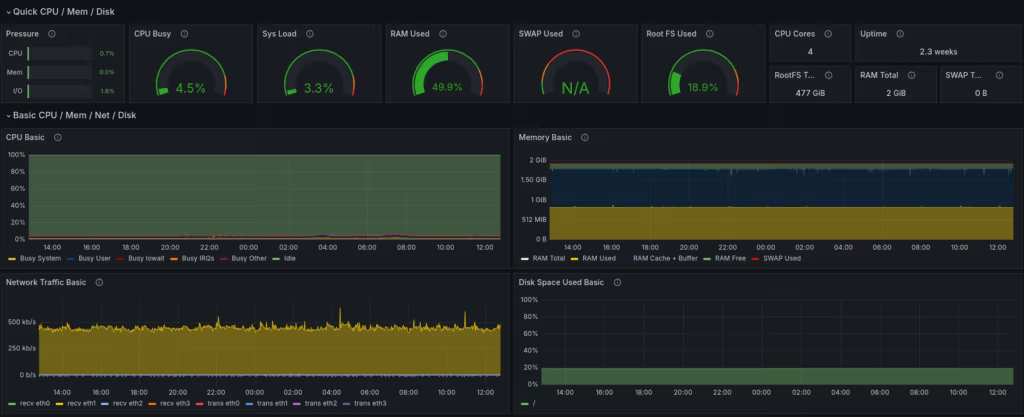
  • Grafana visualizes CPU, memory, storage, and network use.
  • Prometheus for server and app health: CPU, memory, request rates, and errors.
  • InfluxDB for measurements over time: Proxmox stats, Docker metrics, and sensor readings.
Grafana node-exporter dashboard with CPU, memory, network, and disk panels
what I run

My stack, together

Foundation
Proxmox VE
VMs and Linux containers
Everyday services
Nextcloud · Immich · Jellyfin
Vaultwarden · Home Assistant
Supporting services
Frigate · AdGuard Home
Paperless-ngx
Access
NPM for local HTTPS
NetBird for remote access
Recovery
PBS on a separate box
Local backups + an offsite copy
Monitoring
Grafana · Uptime Kuma
Metrics, uptime, and alerts

One useful service.
A backup you know how to restore.

// section 09 · thanks for listening

Thank you

// code + configs
github.com/TechHutTV/homelab
// netbird
github.com/netbirdio/netbird
// say hi
Booth #45
END · THANKS