brandon@homelab:~$ ./talk.sh
26 · 04 · 2026
A TALK IN 10 PARTS
# /decks/lfnw26/index.html

The Self-Hosted
Stack.

Building your own cloud
with open source.
// speaker
Brandon Hopkins
Head of Content & DevRel · NetBird
@TechHut
session.live
THE SELF-HOSTED STACK · 2026
~/agenda
00 · AGENDA
./what's on deck

The route we'll take.

01 Introduction
06 The Stack
02 Why Self-Host
07 Connecting It Securely
03 Before You Start
08 Backups
04 Picking Your Foundation
09 Monitoring & Automation
05 Why Proxmox
10 Q&A
session.live
2 / 49
~/01-intro
SECTION · 01
01
// section 01 of 10
Who's talking.
A quick who/what before we get into the stack.
session.live
3 / 49
01-intro/whoami
01 · INTRO
$ whoami

Brandon Hopkins.

  • Head of Content & Developer Relations at NetBird
  • Founder of TechHut. Linux, self-hosting, and open source on YouTube
  • Been running a homelab for years. This isn't theoretical.
    This is what I actually run.
// id_rsa.pub
user=brandon
role=devrel + creator
homelab=online since 2018
services=~20 containers
uptime=mostly good ¯\_(ツ)_/¯
session.live
4 / 49
01-intro/what-is-this
01 · INTRO
./readme.md

What is this talk?

  • A practical walkthrough of a real open source self-hosted stack.
  • Not a tutorial. More of a map of the territory.
  • Leave here knowing what's possible, what it takes, and whether it's right for you.
session.live
5 / 49
~/02-why-self-host
SECTION · 02
02
// section 02 of 10
Why self-host?
The pitch, the subscription treadmill, and the honest trade-offs.
session.live
6 / 49
02-why/data-ownership
02 · WHY SELF-HOST
the pitch, part one

You don't own
your data.

  • Cloud services store your files, photos, and documents on their infrastructure.
  • TOS change. Accounts get banned. Companies shut down.
  • Self-hosting means your data lives on hardware you own.
// somewhere, right now
! "Your account has been suspended for violating our community guidelines."
! "We're sunsetting this product on Dec 31."
! "Our updated Terms of Service take effect..."
session.live
7 / 49
02-why/subscriptions
02 · WHY SELF-HOST
the pitch, part two

The subscription treadmill.

  • Google Workspace, iCloud, Microsoft 365, Netflix.
    It adds up fast.
  • Most of these have capable open source alternatives.
  • One-time hardware cost vs. paying forever for someone else's server.
// typical monthly stack
iCloud 2TB$9.99 Microsoft 365$9.99 Netflix$15.49 Nest Aware$8.00 /mo$43.47 /yr$521.64
session.live
8 / 49
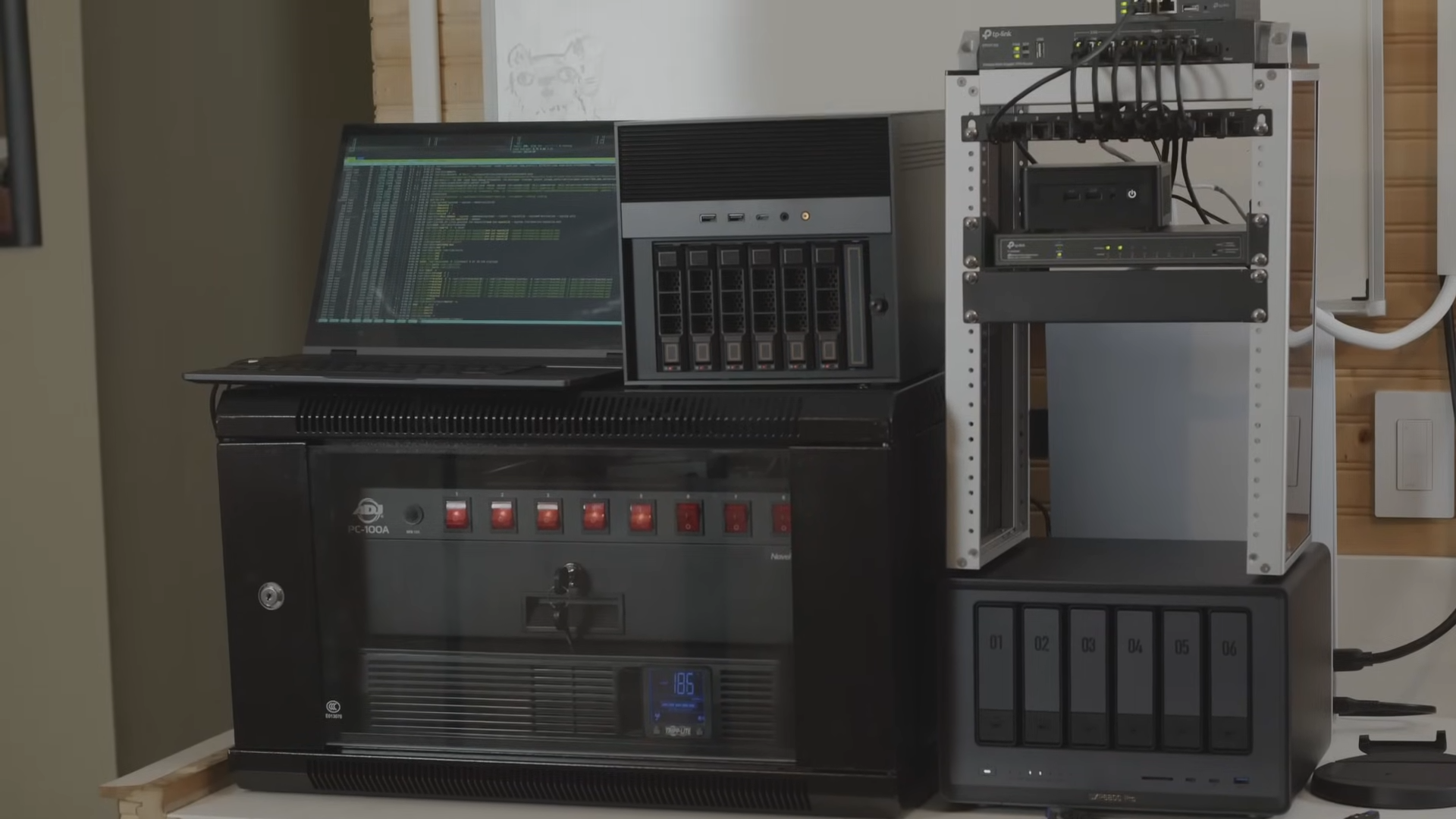
Homelab hardware: mini PC, NAS, UPS, switch
02-why/payback.calc
02 · WHY SELF-HOST
do the math

It pays for itself.

// one-time hardware
Mini PC · 16GB · used$280 2× NVMe SSD · 1TB$140 4× 8TB HDD · used$320 UPS$110 total · once$850 + power ≈ $8/mo$96/yr
// payback period
$850 ÷ ($522 − $96)
= ~ 24 months
Year 3 onward, you're saving $426/yr compared to subscriptions.
// not counting the value of owning your data, your photos, your files.
session.live
9 / 49
02-why/tradeoffs
02 · WHY SELF-HOST
being honest

The trade-offs.

// cost: time
It takes setup and maintenance.
Nothing is free. You're trading dollars for hours, sometimes a lot of them, especially early on.
// cost: on-call
You are your own IT dept.
When things break, that's on you. No support line. No SLA. Just you and journalctl.
// reality check
Not for everyone, and that's okay.
If the time cost outweighs the benefit for you, the cloud is a perfectly reasonable answer.
// the actual goal
Self-host what matters.
The goal isn't to self-host everything. It's to self-host the things that matter to you.
session.live
10 / 49
~/03-before-you-start
SECTION · 03
03
// section 03 of 10
Before you start.
Hardware, maintenance, when the cloud still wins, and where to actually begin.
session.live
11 / 49
03-before/reality-check
03 · BEFORE YOU START
being honest

A few reality checks.

// hardware
You don't need a rack.
A mini PC or old desktop is a fine start. Watch power draw, 24/7 adds up. Storage is usually the biggest cost, so plan for growth.
mini-PC · used SFF · old gaming rig
// maintenance
Set it, then check on it.
Not set-and-forget. Updates, patches, occasional weird things. Plan on an hour a month once it's stable. Community and docs are excellent.
≈ 1 hr / month after setup
// when cloud wins
Sometimes cloud is right.
If you travel constantly and need an SLA, or you're collaborating with non-technical folks, the cloud is still the right call. Self-hosting and cloud aren't mutually exclusive.
intentional choices, not zealotry
session.live
12 / 49
03-before/where-to-start
03 · BEFORE YOU START
where to start

Pick one or two services that matter.

  • One or two. Start there.
  • Immich and Jellyfin are great first projects. High reward, approachable setup.
  • Check out the TechHut homelab repo. Docker Compose stacks and templates.
github.com/TechHutTV/homelab
session.live
13 / 49
~/04-foundation
SECTION · 04
04
// section 04 of 10
Picking your foundation.
NAS OS, bare metal, or hypervisor. Which floor are you building on?
session.live
14 / 49
04-foundation/decision-tree
04 · FOUNDATION
$ ./pick-foundation.sh

Three layers of abstraction.

// tier 1 · easiest
01
NAS Operating Systems
Purpose-built for storage. Plug in drives, turn it on, add services on top.
UnRaid TrueNAS OpenMediaVault ZimaOS
best for → storage first, services second
// tier 2 · flexible
02
Bare Metal Linux
Full control. No abstraction. Everything runs directly on the OS.
Ubuntu Server Fedora Server + Cockpit
best for → terminal-comfortable, keep it simple
// tier 3 · flexible²
03
Hypervisors
Run multiple isolated VMs and containers from a single machine.
Windows VM here, Linux container there. Same box.
Proxmox ←
best for → diverse stack, flexibility, isolation
session.live
15 / 49
04-foundation/nas-os
04 · FOUNDATION
tier 01 · NAS operating systems

Storage first. Services second.

UnRaid
Popular. Great UI, huge plugin ecosystem. Not fully open source.
TrueNAS
Rock-solid ZFS. Enterprise feel. Code open; builds went private in 2026.
OpenMediaVault
Lightweight Debian-based. Great for low-power hardware.
ZimaOS
Newer player. Approachable UI. Partially open source.
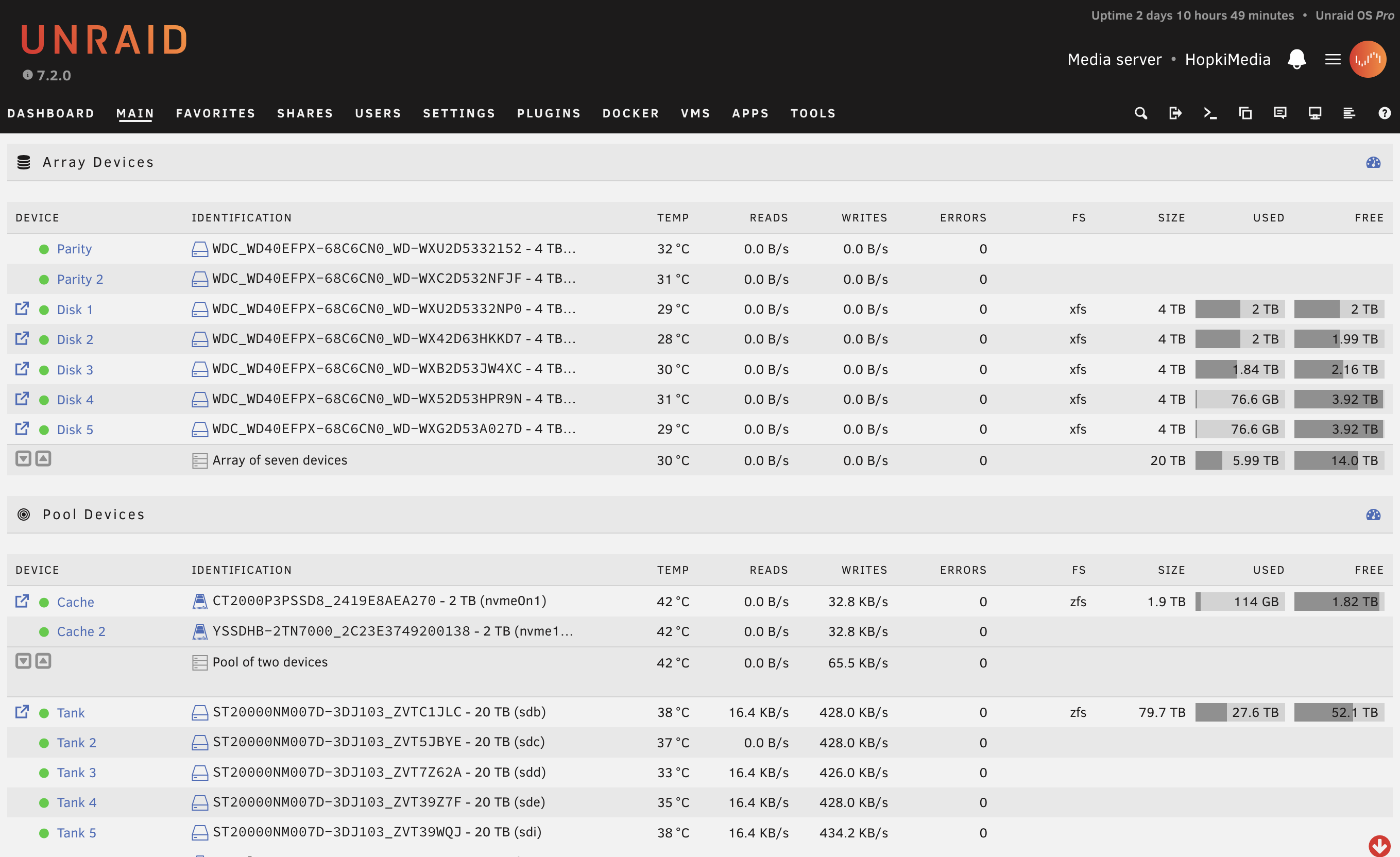
// UNRAID DASHBOARD · MEDIA SERVER
UnRaid dashboard showing array devices and pool devices
session.live
16 / 49
04-foundation/bare-metal
04 · FOUNDATION
tier 02 · bare metal linux

Full control, no abstractions.

  • Ubuntu Server: most documentation, largest community, great starting point.
  • Fedora Server: cutting-edge packages, SELinux by default, great if you want current software.
  • Cockpit: web UI layer you can add to either for a friendlier management experience.
  • Best for people comfortable in the terminal who want to keep things simple.
session.live
17 / 49
04-foundation/hypervisors
04 · FOUNDATION
tier 03 · hypervisors

One machine. Many operating systems.

  • Run multiple isolated VMs and containers from a single machine.
  • Mix and match. A Windows VM here, a Linux container there, all on the same hardware.
  • Best for people running a diverse stack who want flexibility and isolation.
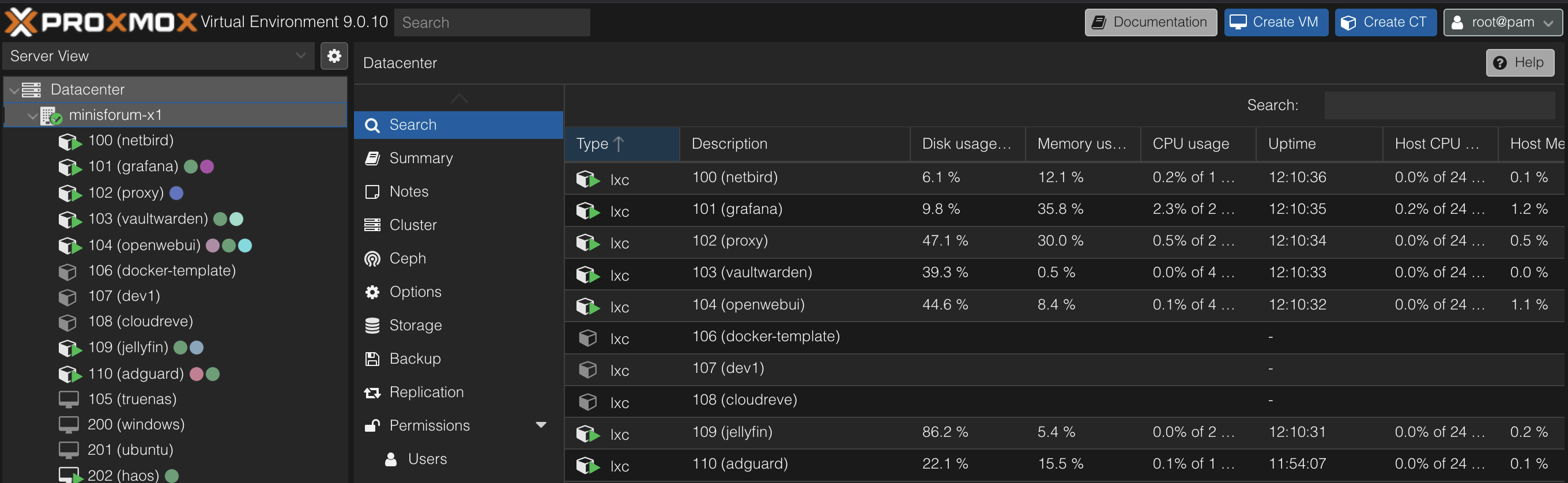
Proxmox VE web UI showing a mix of LXC containers and VMs
This is where Proxmox comes in.
session.live
18 / 49
~/05-proxmox
SECTION · 05
05
// section 05 of 10
Why Proxmox
is my favorite.
The UI, LXC + VMs side by side, native ZFS, helper scripts, and PBS.
session.live
19 / 49
05-proxmox/node-layout.svg
05 · PROXMOX
anatomy of a proxmox node

What's running.

// NODE: pve-01 · 64GB · 8 core
[ VMs · full isolation · own kernel ]
Nextcloud
vm-200
Immich
vm-201
*arr stack
vm-202 · sonarr/radarr/prowlarr
Home Assistant OS
vm-203 · zigbee passthrough
Windows 11
vm-204 · GPU passthrough
[ LXC containers · shared kernel · lightweight ]
Jellyfin
ct-100
NPM
ct-101
Vaultwarden
ct-102
Uptime Kuma
ct-103
Grafana
ct-104
n8n
ct-105
Paperless
ct-106
AdGuard
ct-107
OpenWebUI
ct-108
Duplicati
ct-109
[ off-site · VPS ]
NetBird
vps · control plane
Lives off-site so it stays reachable when home is down. Peer-to-peer tunnels still flow direct.
[ ZFS pool: rpool · 2× NVMe mirror ] [ ZFS pool: tank · 4× 8TB raidz1 ] ● healthy
session.live
20 / 49
05-proxmox/helper-scripts
05 · PROXMOX
feature 04

Proxmox helper scripts.

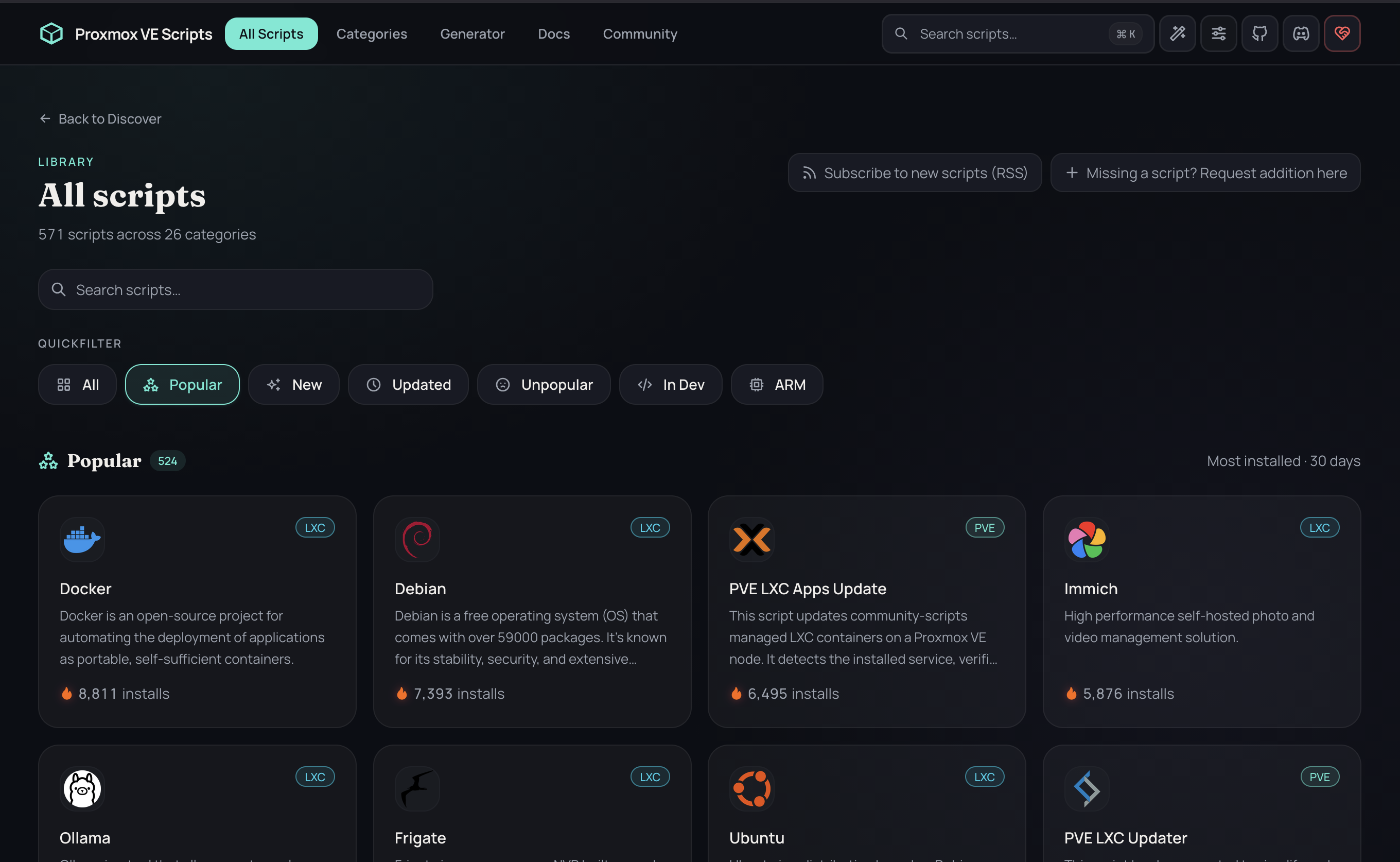
  • Community-maintained scripts that automate common setups.
  • Jellyfin, Vaultwarden, Immich, the works. Up in minutes.
  • community-scripts.github.io/ProxmoxVE
    Bookmark it. You'll use it constantly.
Proxmox VE Helper Scripts library
session.live
21 / 49
05-proxmox/pbs
05 · PROXMOX
feature 05

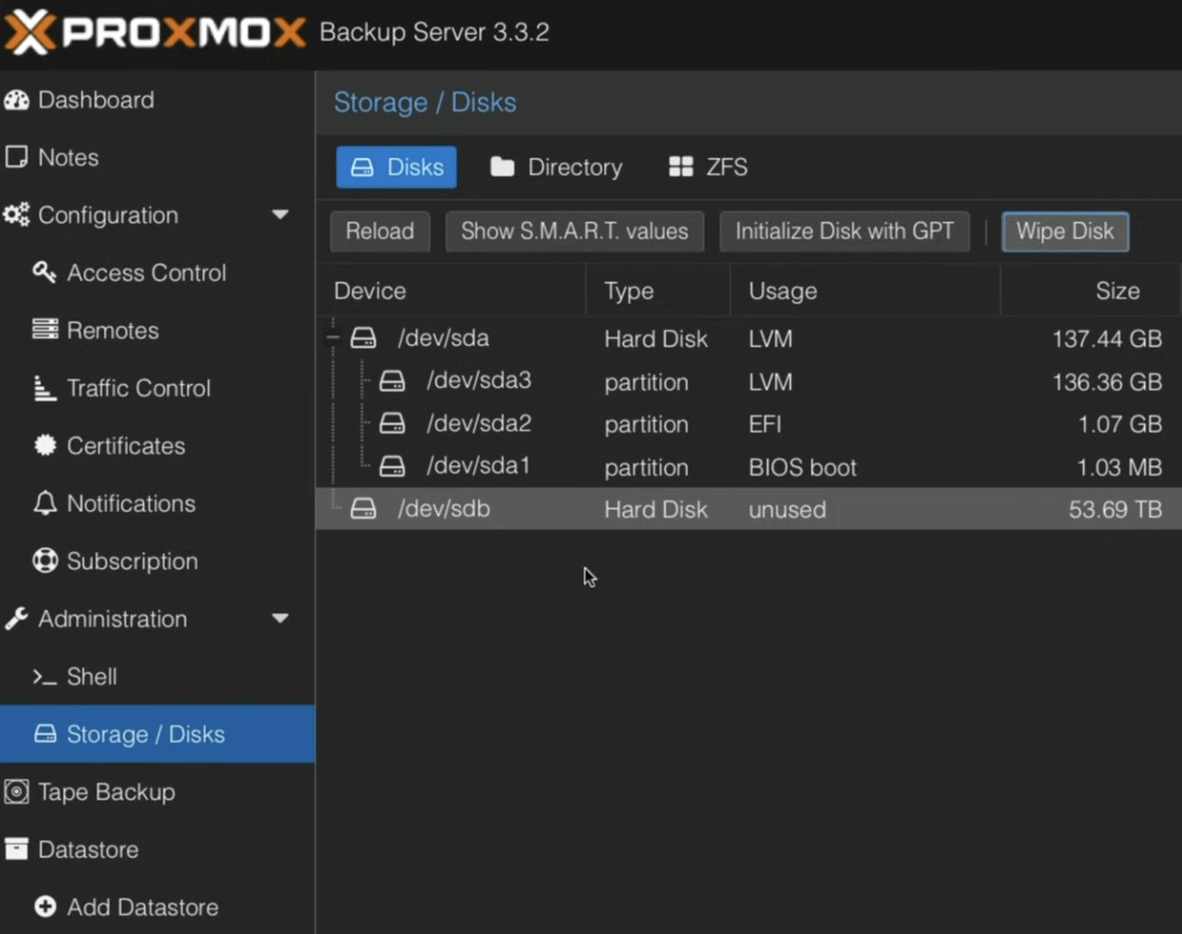
Proxmox Backup Server.

  • First-class backup solution, built specifically for Proxmox.
  • Incremental backups, deduplication, encryption. All built in.
  • We'll come back to this in section 07. It's a big deal.
Proxmox Backup Server storage and disks view with a 53.69 TB datastore
session.live
22 / 49
~/06-the-stack
SECTION · 06
06
// section 06 of 10
The stack.
The actual services. What they do, what they replace.
session.live
23 / 49
06-stack/overview
06 · THE STACK
the whole menu

Here's what we're replacing.

FILES / DOCS
Nextcloud
replaces · Google Workspace
PHOTOS
Immich
replaces · Google Photos
MEDIA
Jellyfin
replaces · Plex / Netflix-y
PASSWORDS
Vaultwarden
replaces · 1Password / LastPass
SMART HOME
Home Assistant
replaces · cloud hubs
CAMERAS
Frigate NVR
replaces · Nest / Ring / Arlo
PROXY
NGINX PM
local domains + SSL
REMOTE ACCESS
NetBird
zero-trust, §07
session.live
24 / 49
06-stack/nextcloud
06 · THE STACK
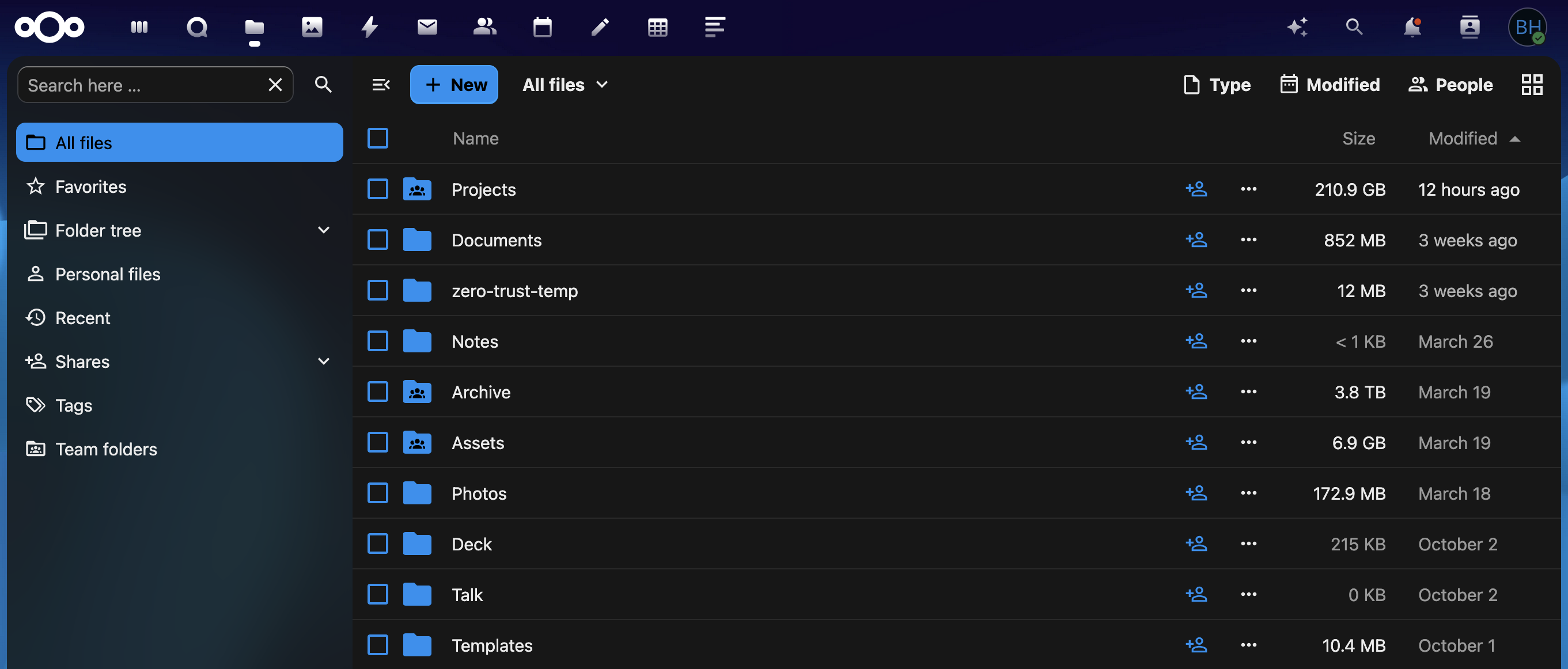
Nextcloud   replaces Google Workspace

Your own Google Workspace.

  • Full office suite replacement: files, docs, calendar, contacts, video calls.
  • Replaces Google Drive, Google Docs, Microsoft 365.
  • Nextcloud AIO (All-in-One) makes setup way more approachable than it used to be.
  • Runs as a dedicated VM on Proxmox. (Nextcloud AIO uses Docker under the hood.)
Nextcloud Files UI showing folders and storage usage
session.live
25 / 49
06-stack/immich
06 · THE STACK
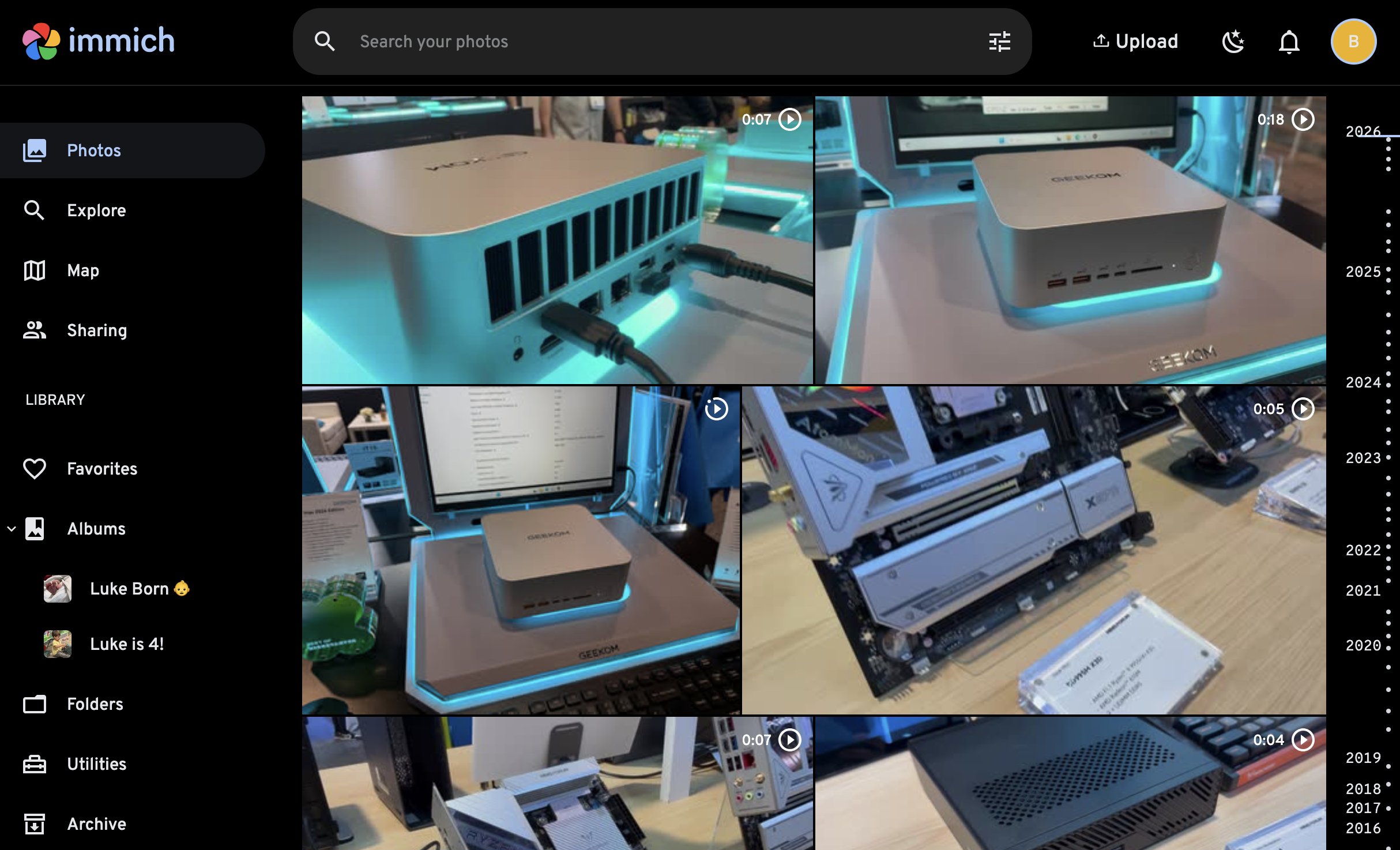
Immich   replaces Google Photos

Your own Google Photos.

  • Fast, modern photo and video backup with automatic device sync.
  • Face recognition, map view, search, shared albums. The full package.
  • Replaces Google Photos, iCloud Photos, Amazon Photos.
  • Hit stable in early 2025. Production-ready and still moving fast.
Immich timeline showing photos by year with map and search
session.live
26 / 49
06-stack/jellyfin
06 · THE STACK
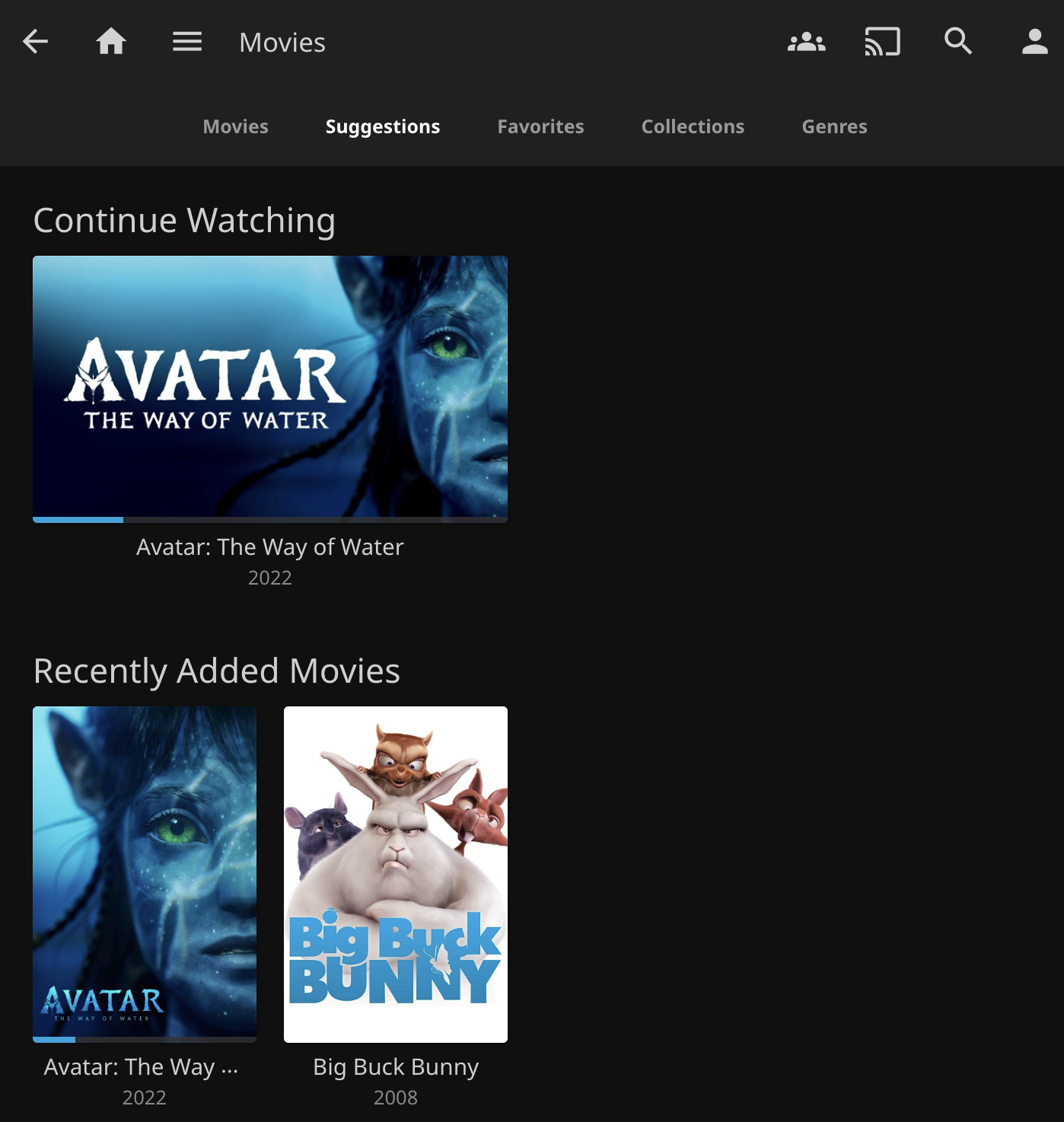
Jellyfin   your own streaming service

Your library, on any device.

  • Stream your personal media library to anything.
  • Completely free and open source. No Plex Pass required for anything.
  • Hardware transcoding: Intel QuickSync, NVIDIA, AMD.
  • Replaces Plex (sort of), complements the *arr stack.
Jellyfin movies library showing Continue Watching and Recently Added
session.live
27 / 49
06-stack/vaultwarden
06 · THE STACK
Vaultwarden   replaces 1Password / LastPass

Your passwords, self-hosted.

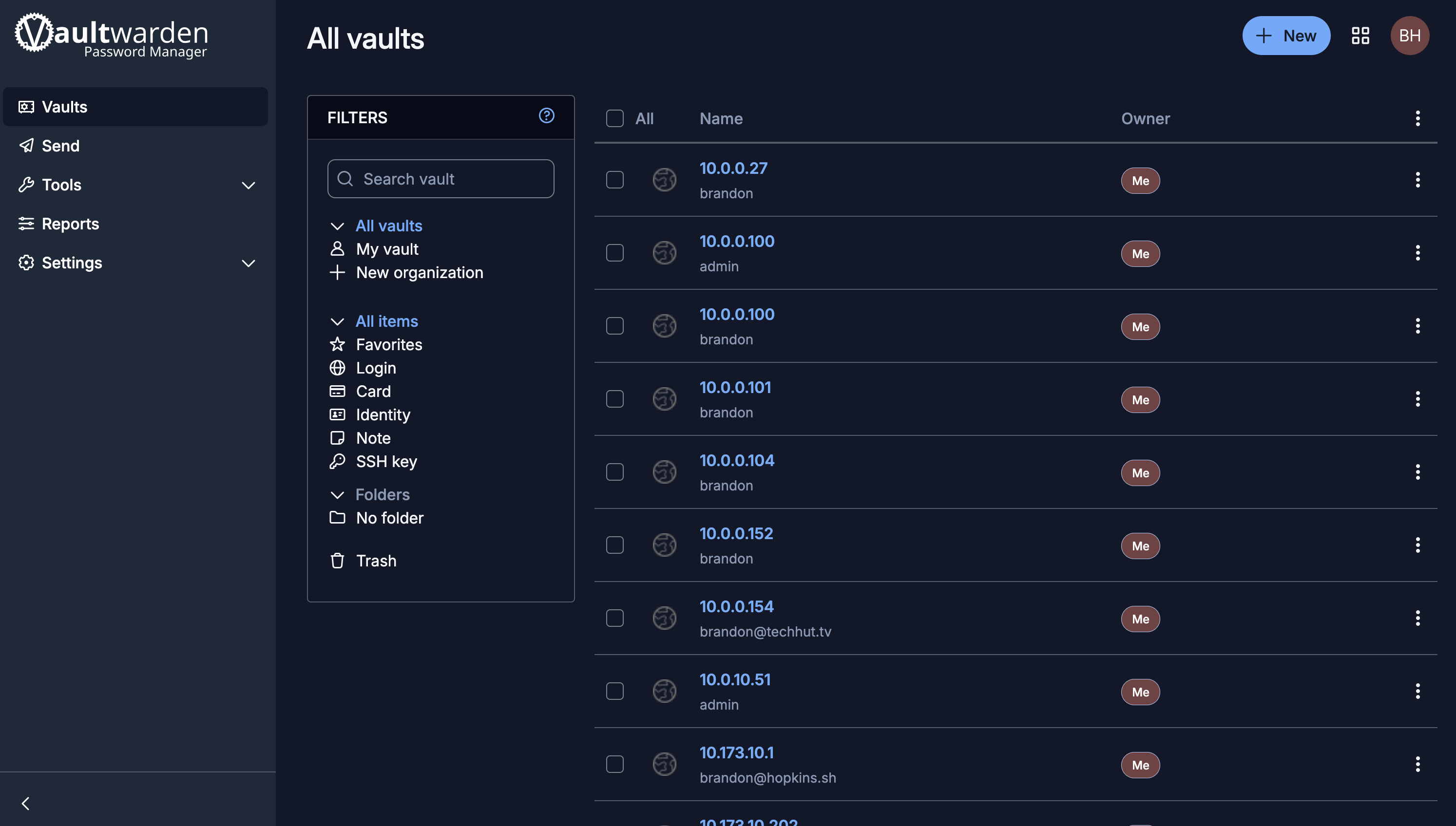
  • Lightweight Bitwarden-compatible server, written in Rust.
  • Works with the official Bitwarden clients. Browser, mobile, desktop.
  • End-to-end encrypted. Sync across devices without trusting a cloud.
  • Replaces 1Password, LastPass, hosted Bitwarden.
Vaultwarden web vault showing saved logins
session.live
28 / 49
06-stack/home-assistant
06 · THE STACK
Home Assistant   your smart home hub

Local control.
No cloud required.

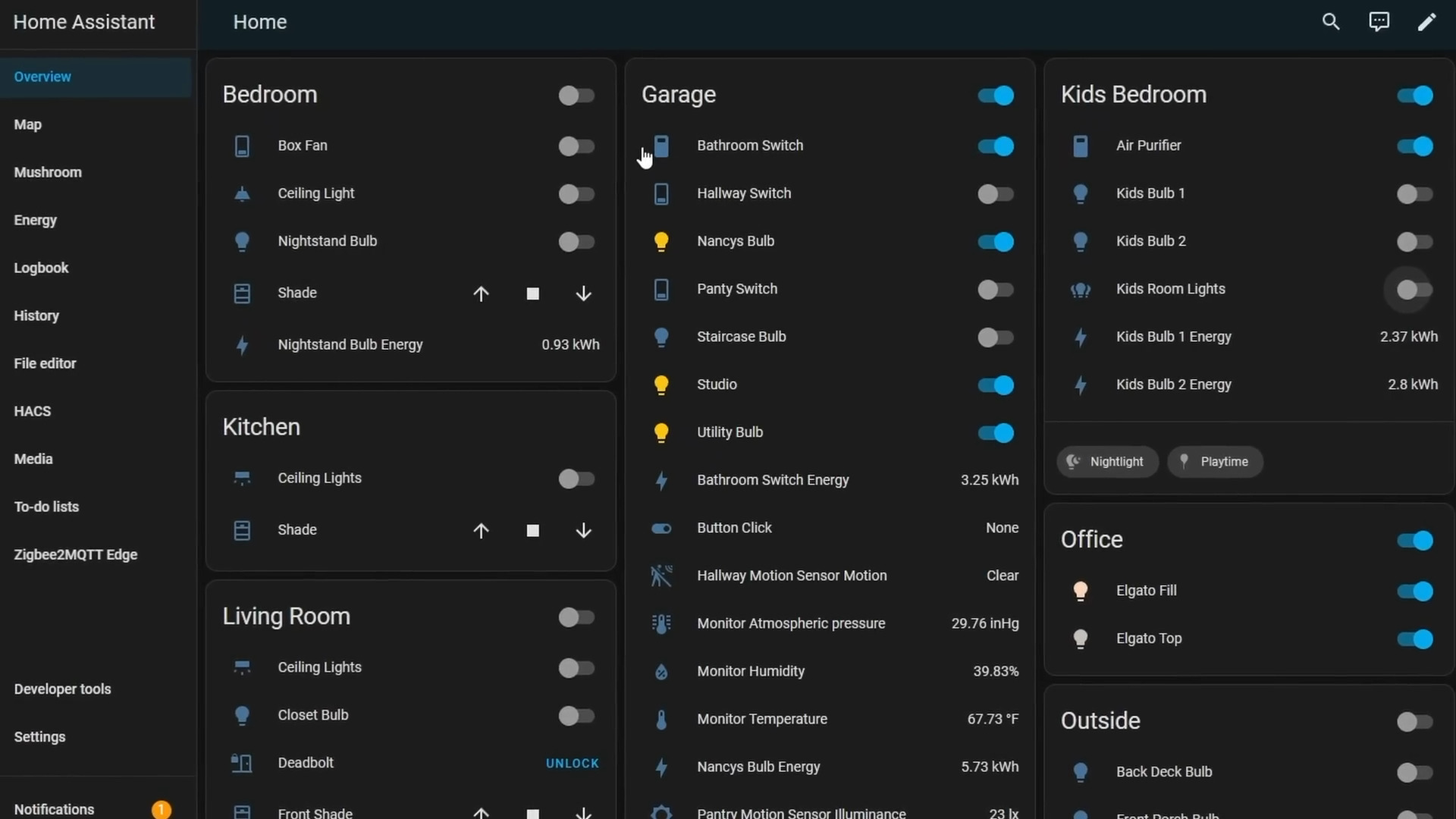
  • Local control of lights, sensors, automations, dashboards.
  • Replaces cloud-dependent hubs and subscriptions.
  • Works with thousands of devices and integrations.
  • Runs best as a dedicated VM for full add-on support.
Home Assistant dashboard with rooms, devices and energy stats
session.live
29 / 49
06-stack/frigate
06 · THE STACK
Frigate   your own camera system

Local AI.
No monthly fee.

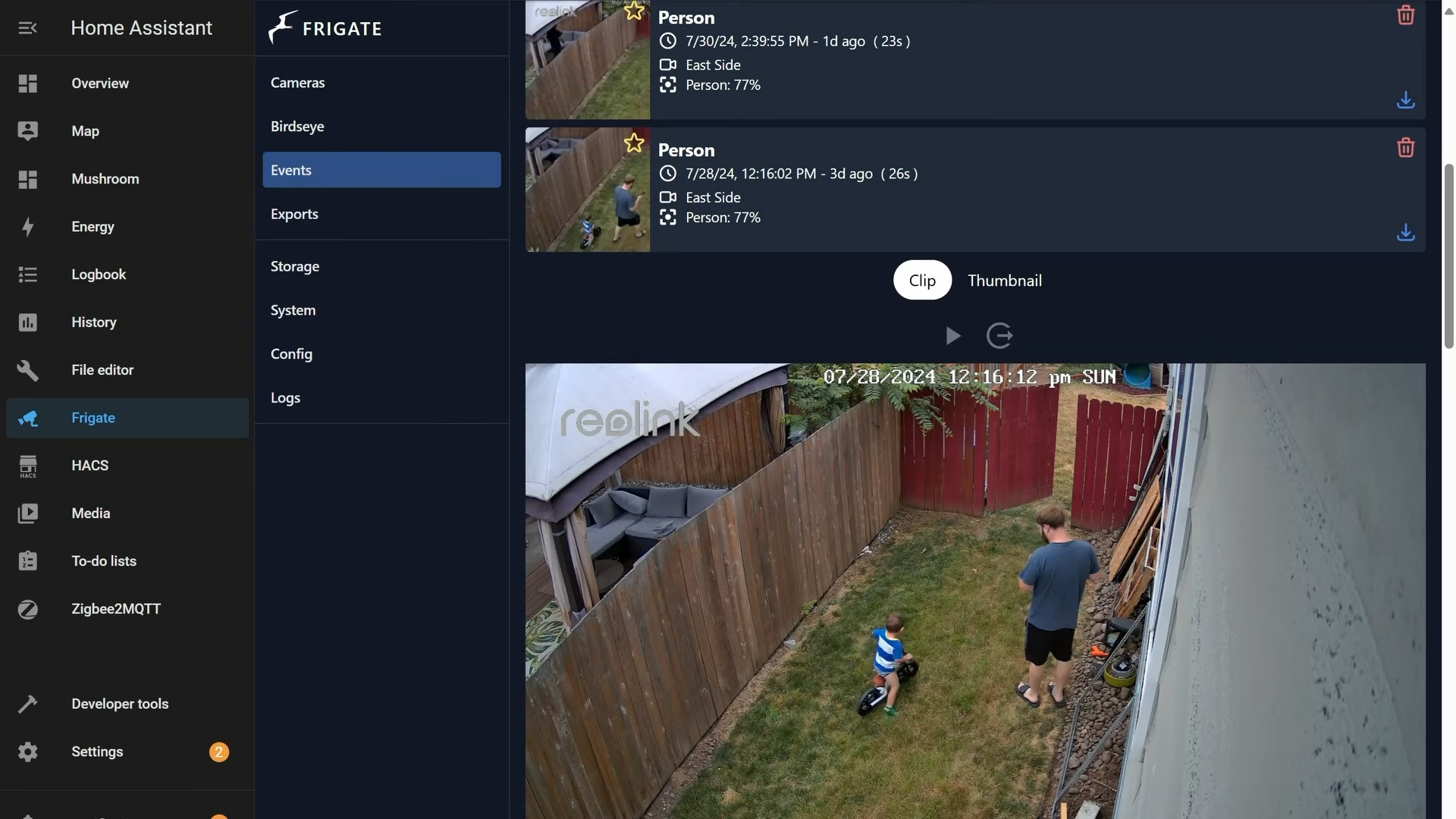
  • Local AI-powered security cameras with object detection.
  • Uses a Coral TPU for fast, efficient inference. No GPU needed.
  • Replaces Nest Cam, Arlo, Ring subscriptions.
  • Integrates directly with Home Assistant for automations.
Frigate event log inside Home Assistant showing person detections in the backyard
session.live
30 / 49
06-stack/nginx-pm
06 · THE STACK
NGINX Proxy Manager   clean local access

Pretty URLs.
Locally.

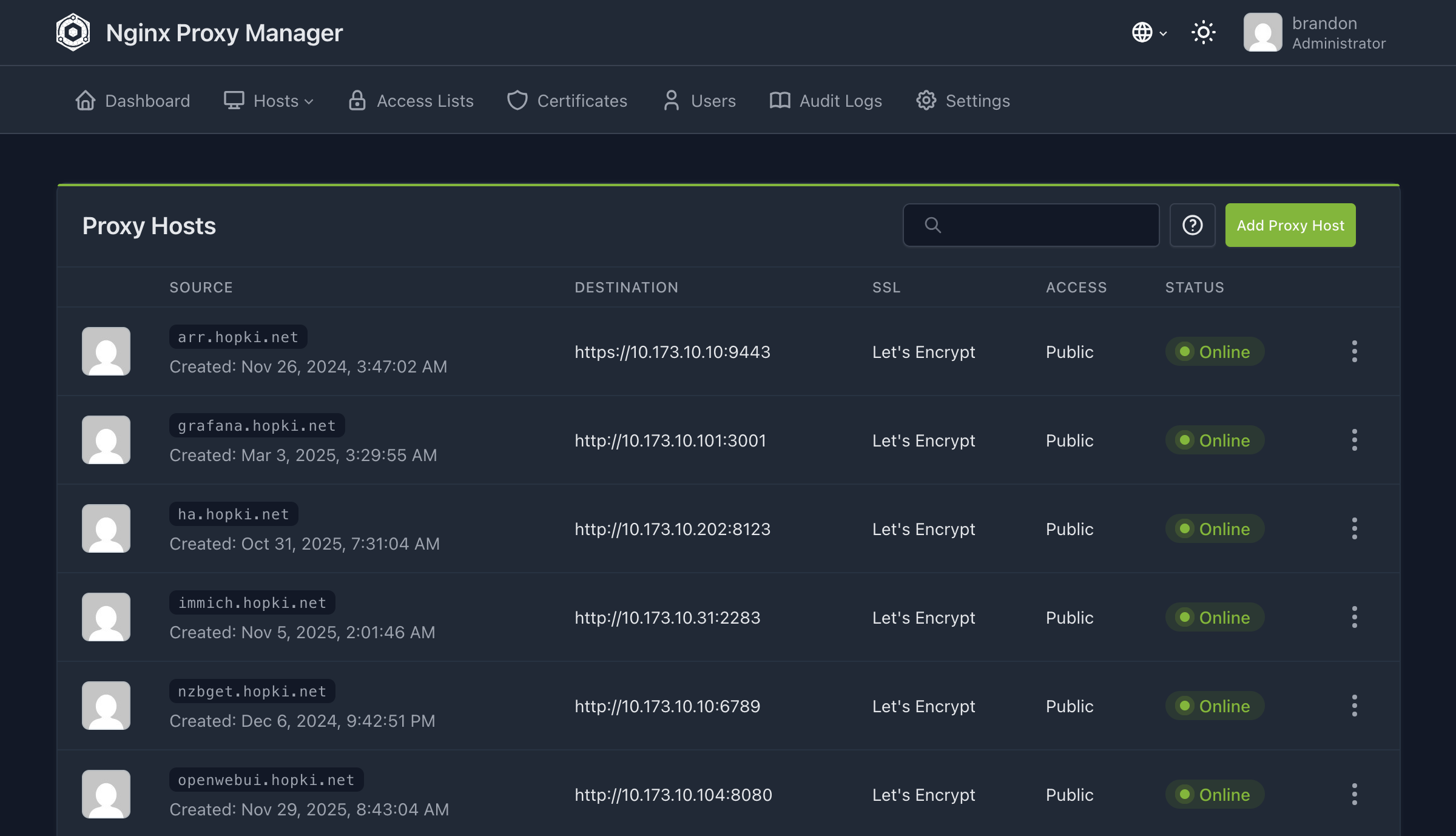
  • Clean local domain names and HTTPS for internal services.
  • Local IP set as an A-record, wildcard SSL cert, no port numbers in URLs.
  • Services stay private. Nothing is exposed to the internet through NPM.
  • External access is handled separately by NetBird →
NGINX Proxy Manager Proxy Hosts list with Let's Encrypt certs and Online status
session.live
31 / 49
06-stack/honorable-mentions
06 · THE STACK
honorable mentions

The ecosystem is massive.

AdGuard Home
Network-wide DNS ad blocking. No more ads on every device on your LAN.
Uptime Kuma
Beautiful self-hosted status and monitoring page.
Paperless-ngx
Document management and OCR.
Mealie
Recipe manager and meal planner.
// and that's just the surface.
session.live
32 / 49
~/07-connecting
SECTION · 07
07
// section 07 of 10
Connecting it securely.
Remote access without opening your front door to the internet.
session.live
33 / 49
07-connecting/the-problem
07 · CONNECTING
the problem

Your stack is at home.
You are not.

  • Useful when you're home. Useless when you're not.
  • Old way: port forwarding. Open ports, expose services to the public internet.
  • Traditional VPN: gives every peer the whole network. Big blast radius.
  • There's a better way. Mesh networking with per-resource access.
session.live
34 / 49
07-connecting/netbird
07 · CONNECTING
NetBird   in 30 seconds

One flat network.
All your machines.

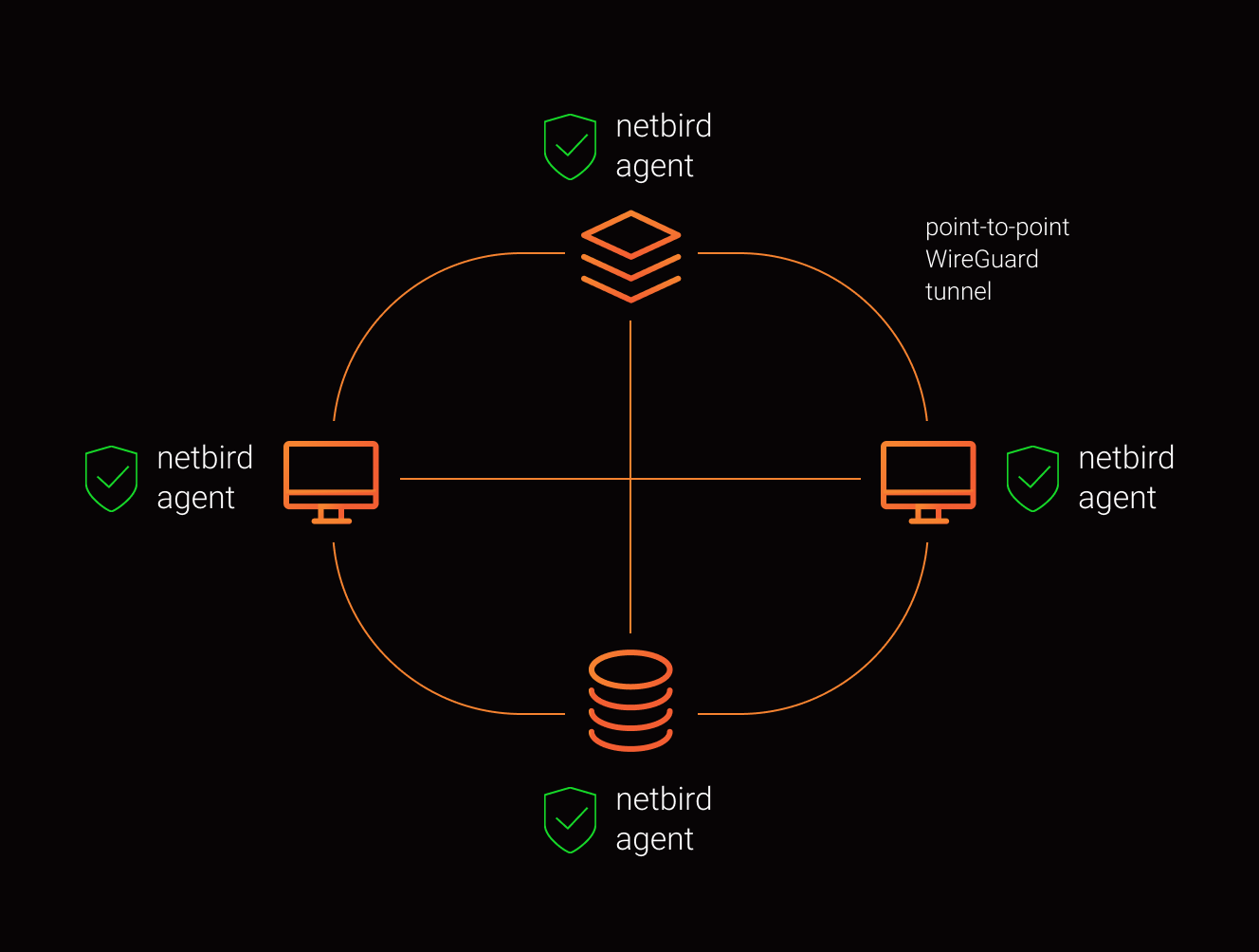
  • Open source. Connects laptops, servers, phones, VPCs into one private mesh.
  • Peer-to-peer WireGuard tunnels. End-to-end encrypted, even when relayed.
  • Use the managed cloud, or self-host the whole stack.
  • No port forwarding to your homelab, no public IPs, no exposed services.
NetBird peer-to-peer mesh
// every peer talks directly to every other peer
session.live
35 / 49
07-connecting/self-host.sh
07 · CONNECTING
self-hosting

One script.
Full stack.

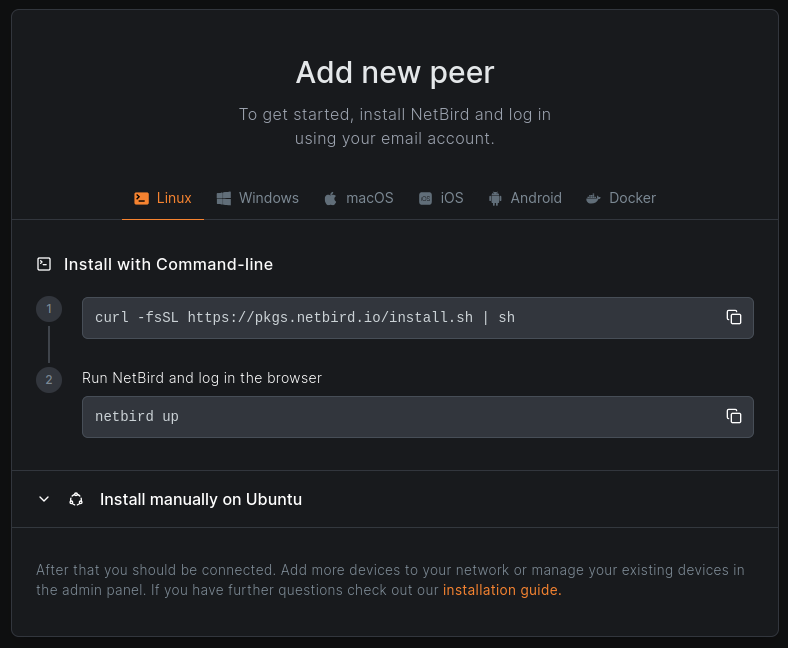
// getting-started.sh
curl -fsSL https://github.com/netbirdio/netbird/releases/latest/download/getting-started.sh | bash
  • Deploys management, signal, relay, dashboard, and Traefik.
  • Auto TLS via Let's Encrypt. Just point a domain at the box.
  • Local users out of the box, or bring any OIDC: Keycloak, Authentik, Okta, Google.
  • Your data, your domain, your infrastructure. AGPLv3 server, BSD-3 client.
NetBird Add new peer install panel
// adding a peer is two commands
session.live
36 / 49
07-connecting/dashboard
07 · CONNECTING
the dashboard

One pane of glass
for the whole mesh.

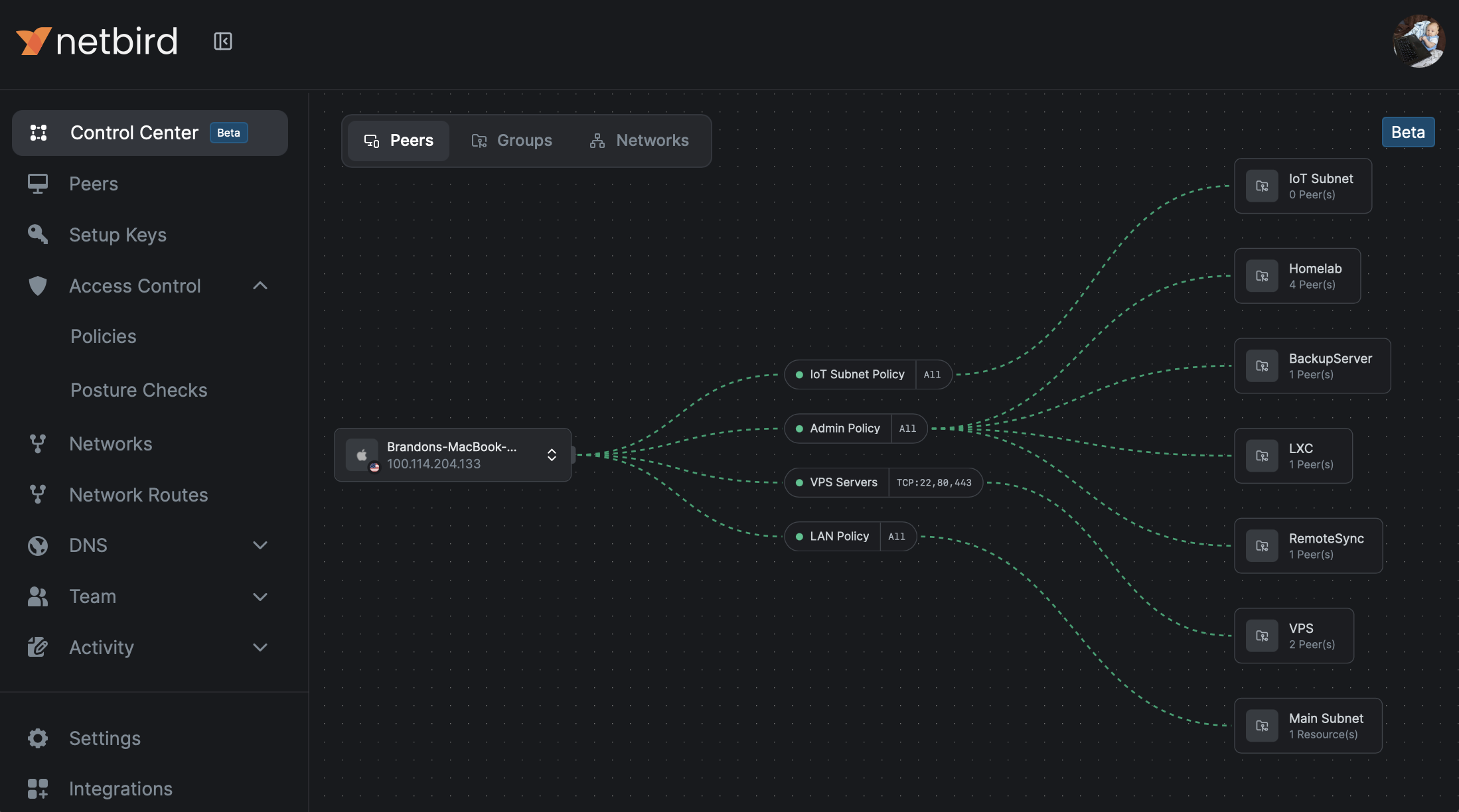
NetBird Control Center peers view
  • Peers · every device in the mesh, status at a glance.
  • Groups & policies · who can reach what, in plain English.
  • Networks & routes · gateway entire LANs without installing on every device.
  • Activity logs · every connection, every change, audited.
session.live
37 / 49
07-connecting/features
07 · CONNECTING
more than a vpn

A platform, not a tunnel.

Access Control + Posture
Group-based policies. Restrict by OS, country, client version, or peer network range. Posture checks before access is granted.
Networks & Routes
Gateway entire LANs or VPCs through a single peer. Reach a printer, a NAS, a whole subnet, without installing NetBird on each device.
DNS Management
Custom DNS zones, private nameservers, and split DNS. jellyfin.home resolves the same everywhere you go.
Exit Nodes
Route internet traffic through any peer. Browse from home while you're on hotel Wi-Fi. HA across multiple exits.
Reverse Proxy
Expose internal services to the public internet with auto TLS. No open firewall ports on your home network.
SSO + MFA
Identity comes from your IdP. Onboarding a new device is an SSO login. Offboarding is one click.
session.live
38 / 49
07-connecting/reverse-proxy
07 · CONNECTING
reverse proxy

Public services. No ports open at home.

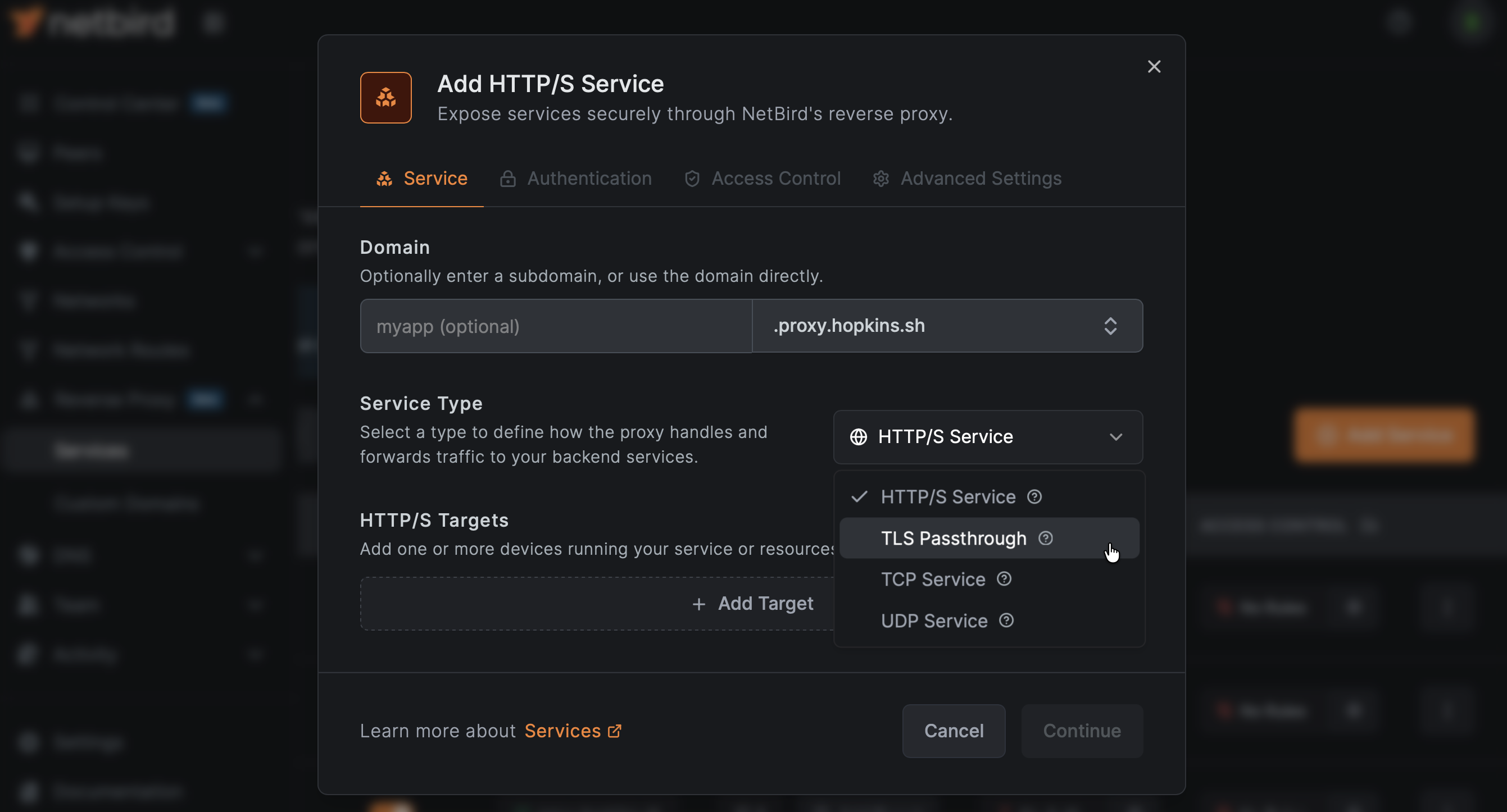
  • Pick a service. Pick a subdomain. Done.
  • HTTP/S, TLS passthrough, raw TCP, UDP. Auto TLS via Let's Encrypt.
  • Optional CrowdSec integration for threat protection at the edge.
  • Internal: NPM with local domains. External: NetBird reverse proxy. Clean split.
NetBird Reverse Proxy service configuration
session.live
39 / 49
07-connecting/data-flow.svg
07 · CONNECTING
my topology

Open ports on a $5 VPS. Not on my homelab.

[ 01 · YOU ]
A laptop in a coffee shop.
NetBird client running. Authenticated by SSO. Dials out to the control plane.
identity verified by IdP
[ 02 · VPS · NETBIRD ]
Self-hosted control plane.
Management + Signal + STUN + TURN run on a small VPS. This is where the open ports live. Coordinates peers; doesn't see traffic.
ports open here · TCP 80, TCP 443, UDP 3478
[ 03 · HOMELAB ]
Your stack at home.
Router has zero open ports. The agent dials out to the VPS. P2P tunnel opens directly to the laptop.
home firewall stays closed
// data path laptop ━━ direct P2P WireGuard ━━▸ jellyfin.home control plane is out of band on the VPS
session.live
40 / 49
~/08-backups
SECTION · 08
08
// section 08 of 10
Backups are non-negotiable.
Because drives fail. It's not if. It's when.
session.live
41 / 49
08-backups/3-2-1.svg
08 · BACKUPS
the rule

The 3-2-1 rule.

3
// COPIES
Three copies of your data.
Production + two backups. If one fails, two remain.
live · backup · backup
2
// MEDIA TYPES
On two different media.
A firmware bug that eats one kind of drive won't eat both.
nvme + hdd, or hdd + tape…
1
// OFFSITE
One copy offsite.
Fire, theft, flood. If the building is gone, the backup in it is gone too.
friend's house · object storage · vps
session.live
42 / 49
08-backups/pbs
08 · BACKUPS
Proxmox Backup Server

Purpose-built. Incremental.
Deduplicated.

  • Purpose-built backup for Proxmox environments.
  • Incremental. Only changed blocks transferred after the first backup.
  • Built-in deduplication. Optional encryption.
  • Restore a full VM or LXC container in minutes.
session.live
43 / 49
08-backups/pbs-fit
08 · BACKUPS
how it fits

PBS in the stack.

  • Runs as a separate VM or on separate hardware.
  • Schedule automated backups for every VM and container.
  • PBS verifies backups automatically. You don't have to remember.
  • Pair with offsite storage for true 3-2-1 compliance.
session.live
44 / 49
~/09-monitoring
SECTION · 09
09
// section 09 of 10
Monitoring + automation.
Two tools I use constantly. There's a whole other talk in each one.
session.live
45 / 49
09-monitoring/grafana
09 · MONITORING
Grafana   know what your stack is doing

Dashboards
you'll actually look at.

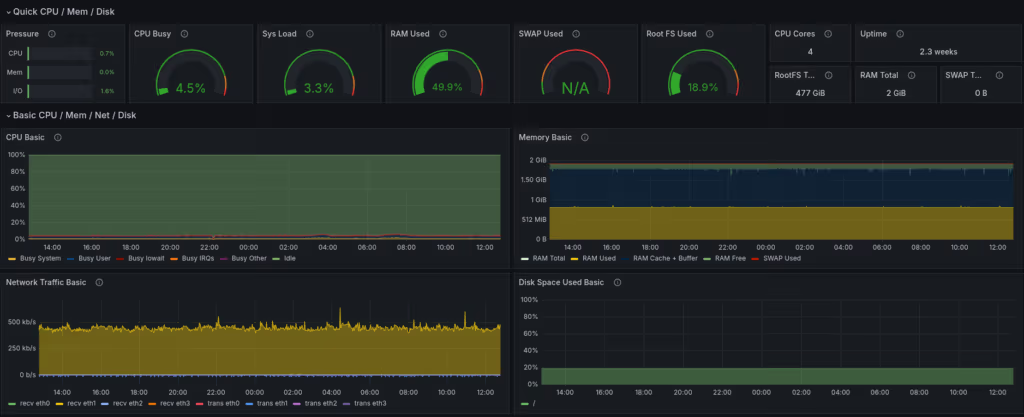
  • Beautiful dashboards for infrastructure metrics: CPU, RAM, disk, network.
  • Pulls data from Proxmox, your containers, and other sources.
  • Know about problems before they become outages.
  • There's a whole talk in here on observability alone.
Grafana node-exporter dashboard with CPU, memory, network, and disk panels
session.live
46 / 49
09-monitoring/n8n
09 · MONITORING
n8n   automate your homelab

Zapier, but
on your box.

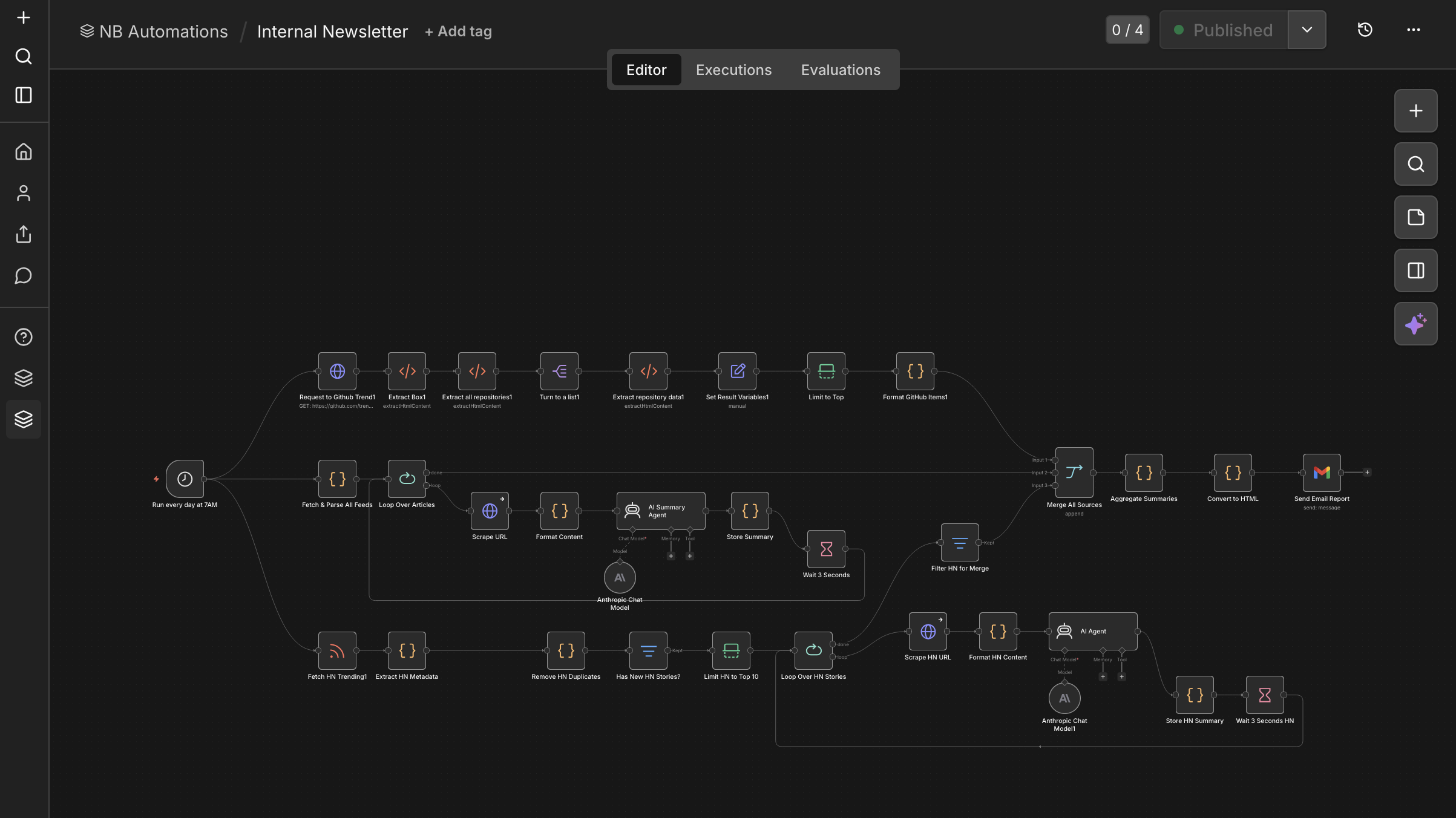
  • Self-hostable workflow automation. Think Zapier — but you run it.
  • Connect services together: Nextcloud triggers, HA events, notifications.
  • I use it for content workflows. The homelab use cases are endless.
  • Seriously, there's a whole other talk here.
n8n workflow canvas with branching automation graph
session.live
47 / 49
~/recap
RECAP
what I actually run

The whole stack, in one breath.

FOUNDATION
Proxmox on a mini-PC → ZFS pools → 5 VMs + 10 LXCs
DAILY DRIVERS
Nextcloud · Immich · Jellyfin · Vaultwarden · Home Assistant
SUPPORTING CAST
Frigate · AdGuard · Paperless
CONNECTIVITY
NPM internal · NetBird external · no open ports at home
BACKUPS
PBS nightly → separate box → offsite copy = 3-2-1
EYES + GLUE
Grafana dashboards · Uptime Kuma · n8n automations
// the point: none of this is exotic. Pick the two that matter to you and start there.
session.live
48 / 49
~/10-qa
SECTION · 10
// section 10 · thanks for listening
Q&A.
// code + configs
github.com/TechHutTV/homelab
// netbird
github.com/netbirdio/netbird
// say hi
netbird.io   ·   @TechHut
session.live
END · THANKS